

An SEO audit report that just lists a bunch of website errors is a waste of everyone's time. A truly great report does more—it's your strategic roadmap, the very document that builds client trust and steers the entire campaign. Think of it as the blueprint for turning a pile of raw data into a compelling story that diagnoses problems and, more importantly, lays out clear, prioritized solutions.
Your Blueprint for a Client-Winning SEO Audit Report

The real magic happens when you transform that spreadsheet of technical issues into a business case your client can actually get behind. So many agencies drop the ball here, drowning clients in jargon and endless data points. The goal is the exact opposite: cut through the complexity and show them a clear path forward.
A solid report structure is what makes this possible. It lets you guide the conversation from the big picture—like overall performance—down to the nitty-gritty fixes that will actually move the needle. You're building a logical case, showing them exactly why certain actions are non-negotiable. This approach doesn't just get them on board; it builds massive trust in your expertise right from the start.
Key Sections of a Client-Winning SEO Audit Report
So, what does that structure look like in practice? A report that truly informs and persuades has a few key sections that work together to create a document clients can understand and act on. Our downloadable template is built around these core components.
Here’s a quick look at the essential sections you'll find in the template and the value each one delivers.
| Section | What It Tells the Client | Example Insight |
|---|---|---|
| Executive Summary | "Here are the most critical issues, how they're hurting your business, and the top 3 things we need to do first." | "Your site's slow mobile speed is costing you an estimated 25% of potential leads each month. Our top priority is fixing this." |
| Performance Analysis | "This is where you stand today. Here's your current organic traffic, keyword rankings, and what's actually converting." | "While you rank for 500 keywords, only 15 of them are on page one and driving 90% of your organic traffic." |
| Technical SEO Health | "Let's look under the hood. This is the health of your website's foundation—things like speed, indexability, and mobile experience." | "404 errors are sending users to dead ends, creating a poor experience and wasting valuable link equity from old pages." |
| On-Page & Content Audit | "This is how well your pages are optimized for your target keywords and what your customers are actually searching for." | "Your main service pages are missing key terms your competitors are ranking for, creating a significant content gap." |
| Prioritized Action Plan | "Here is our step-by-step roadmap. We've broken down every task by impact and effort so we can tackle the biggest wins first." | "First, we'll optimize 5 core pages (low effort, high impact). Next, we'll tackle the technical site speed issues (high effort, high impact)." |
This structure creates a narrative that builds on itself, making your recommendations feel like the logical next step rather than a random list of to-dos.
A successful SEO audit report does more than just identify problems; it creates momentum. It should leave the client feeling informed, confident, and crystal clear on the exact steps we need to take to boost their visibility and hit their business goals.
To make sure you're not missing anything, it always helps to work from a comprehensive checklist. We've baked the principles from this ultimate website auditing checklist right into our template, giving you a ready-to-use framework for every client project. Each piece is designed to build on the last, creating a powerful story that justifies your strategy and kicks off a successful engagement.
Telling a Story with Performance and Traffic Data
Before you can map out a path forward, you have to know exactly where you're starting from. A great audit begins by painting a clear, data-backed picture of the website’s current performance. This isn't about dumping a list of metrics into a document; it's about connecting the dots to tell a story about what’s working and what isn’t.
Your primary storytellers here are Google Analytics and Google Search Console. These free tools are non-negotiable for understanding how people find and interact with a site. The real skill, though, is moving past surface-level numbers and finding the narrative hidden in the trends.
Analyzing Trends to Uncover the Real Narrative
A single month of data rarely tells the whole story. To spot patterns that actually mean something, you need to zoom out. Comparing performance year-over-year is one of the most powerful ways to contextualize data and filter out the noise from seasonality.
A 20% drop in traffic might look alarming, but if the same dip happened last year during a slow season, it’s less of a crisis and more of a predictable cycle. On the other hand, if traffic is flat year-over-year while a key competitor's visibility has shot up, that’s a real problem. You're losing market share.
This kind of comparison turns raw data into a compelling business case. It’s the difference between saying "traffic is down" and explaining, "Our organic traffic to key service pages has declined by 15% over the last six months, lining up perfectly with a competitor's new content push that now outranks us for three of our top five keywords."
Turning Metrics into Actionable Insights
Every good SEO audit report template has to include core performance metrics like organic clicks and click-through rate (CTR). These numbers give you hard evidence of your SEO effectiveness.
Organic clicks are simple: the number of times people click on the website's listing in the organic search results. This directly measures the traffic you're driving. CTR, the percentage of people who click after seeing the site in search results, tells you how compelling your page titles and descriptions really are. If you want to dive deeper into reporting, Semrush has some great resources.
Let's walk through a common scenario for an Austin-based home services company.
Example Scenario
- The Data: You pop into Google Search Console and see that impressions for "emergency plumbing Austin" are up by 30% over the last quarter, but organic clicks have stayed completely flat.
- The Story: This isn't a traffic problem; it's a conversion-at-the-SERP problem. People are seeing the company's listing, but something is stopping them from clicking. A quick look at the search results shows competitors are using much better title tags that mention "24/7 Service" and "No Hidden Fees."
- The Action: The insight is crystal clear. You can recommend rewriting the page's title tag and meta description to better match what searchers want and to stand out from the competition. It's a low-effort, high-impact fix.
The goal is to connect every data point to a real-world user experience or business outcome. A steady decline in mobile traffic isn't just a number; it means local customers searching on their phones are having a bad experience and likely calling a competitor instead.
Key Performance Questions to Answer
When you're digging through performance data, stay focused by trying to answer these critical business questions. This keeps your analysis grounded in what actually matters to the client.
- Which pages drive the most valuable traffic? Find the pages that don't just get clicks but also lead to conversions. These are your crown jewels.
- Where are we losing to competitors? Pinpoint the high-intent keywords where competitors are consistently beating you. This is your immediate to-do list for content and optimization.
- Is our traffic growth sustainable? Are you just riding the wave of a few keywords, or is there a healthy, diverse mix of search terms bringing people in?
- How does user behavior differ by device? A high bounce rate on mobile for your main service pages could signal a critical usability issue that's costing you leads every single day.
When you frame your findings this way, you shift the conversation from technical SEO jargon to business strategy. You’re not just presenting data; you’re providing the intelligence needed to make smarter marketing decisions and justify the investment in a real SEO campaign. This narrative sets the stage perfectly for all the technical and on-page recommendations that will follow.
Uncovering Hidden Technical SEO Barriers

You can have the most beautiful, compelling website on the planet, but if it’s a technical mess under the hood, it’s like building a mansion on a swamp. No matter how great your content is, that shaky foundation will silently sabotage your ability to rank.
This is the part of your SEO audit report template where we get our hands dirty. We’re moving past the content and diving into the nuts and bolts of website health: site speed, mobile usability, indexation, and crawlability. These aren't just minor tweaks; they're the absolute non-negotiables that determine whether search engines can even find, understand, and rank your pages in the first place.
Identifying High-Impact Technical Roadblocks
First things first, you need to see the website the way a search engine does. The best way to do that is with a comprehensive site crawl using a tool like Screaming Frog. It’ll spit out a raw data dump of every single URL, instantly flagging red alerts like broken links (404 errors), server problems (5xx errors), and messy redirect chains that bleed authority and send crawlers on a wild goose chase.
For example, I see canonical tag loops all the time. This is where Page A tells Google that Page B is the “real” version, but then Page B points right back to Page A. It’s a classic mistake that confuses Google and usually ends with neither page ranking well.
Another critical spot to check is the robots.txt file. It’s terrifyingly easy to mess up. A single misplaced forward slash could accidentally tell Google to ignore an entire product category, making it completely invisible in search results. Our comprehensive guide on https://giddsmedia.com/technical-seo-best-practices/ can walk you through fixing these more complex issues. The goal here is to connect a specific error to its real-world business consequence.
Prioritizing Site Speed and Mobile Usability
If there’s one technical barrier that has become absolutely critical, it’s performance. Learning how to improve website speed is no longer optional. Ever since Google’s Core Web Vitals update in 2021, page speed has become a front-and-center priority in any serious SEO audit.
The data doesn’t lie. Even a one-second delay in page load time can slash conversions by up to 7%. Your audit template must include a detailed breakdown of site speed, mobile responsiveness, and HTTPS security.
To get this data, you don’t need expensive tools. Just head over to Google PageSpeed Insights. It gives you a clear score and a punch list of fixes for both mobile and desktop, focusing on the big three:
- Largest Contentful Paint (LCP): How long does it take for the main content to appear on the screen?
- Interaction to Next Paint (INP): How quickly does the page react when someone clicks, taps, or types?
- Cumulative Layout Shift (CLS): Do things jump around on the page while it’s loading? (This drives users crazy.)
A slow mobile site is a lead-generation killer. For a local Austin business, a potential customer searching for "emergency HVAC repair" on their phone will not wait for a slow site to load—they'll simply hit the back button and call the next company on the list.
Demystifying Structured Data and Indexation
Finally, you need to check how the site is communicating with search engines through structured data, also known as Schema markup. This is basically a special vocabulary that helps Google understand the context of your content. When you get it right, you can be rewarded with rich snippets in the search results—things like star ratings, event schedules, or FAQ dropdowns.
A common mistake is misconfigured or broken markup. Your audit should always include a validation check using Google’s Rich Results Test to make sure everything is implemented correctly and free of errors.
Here’s a quick-and-dirty checklist for tackling this section:
- Run a Site Crawl: Use Screaming Frog or a similar tool to find 404s, redirect chains, and server errors.
- Check Robots.txt: Ensure no important pages or sections are accidentally disallowed.
- Audit Canonical Tags: Look for loops or incorrect implementations that cause duplicate content issues.
- Analyze Page Speed: Use PageSpeed Insights to test Core Web Vitals for key pages.
- Validate Structured Data: Use the Rich Results Test to confirm your Schema is working correctly.
By systematically digging into these hidden barriers, your SEO audit report template goes from being a simple checklist to a strategic roadmap for building a faster, stronger, and more visible website. Every technical fix you make has a direct impact on user experience and makes it easier for Google to reward you.
If technical SEO is the foundation of your house, then on-page optimization is the framing, wiring, and curb appeal. It’s what turns a solid structure into a place that’s actually useful and attractive to visitors—both people and search engines. This is where your SEO audit report template pivots from the purely technical stuff to the strategic side of content.
Great content is the engine, but it won’t get you far without the right on-page signals to guide it. This part of the audit is about more than just checking if a keyword is on the page. We need to dig into user intent, content quality, and whether the site comes across as a true authority on its subject.
Analyzing Critical On-Page Elements
First things first, you need to systematically review the core on-page components of your most important pages. I'm talking about your key service pages, top-selling product pages, or your best-performing blog posts. These are the assets that have to be perfectly tuned.
Having a repeatable process means you won't miss anything. Your audit should methodically check:
- Title Tags: Is the main keyword near the front? Is the title actually interesting enough to make someone click on it in a crowded search result? A boring title tag is a massive missed opportunity.
- Meta Descriptions: These aren't a direct ranking factor, but a well-written meta description is basically your ad copy in the search results. It has to be persuasive and clearly tell the user what they'll get by clicking.
- Heading Structure (H1, H2s): You should only have one H1 tag per page that clearly defines the page's main topic. From there, your H2s and H3s should break the content into logical, easy-to-scan sections that use related keywords and answer real user questions.
- Internal Linking: Are you linking from high-authority pages on your site to other relevant pages? This is how you spread link equity around and guide both users and crawlers through your site. For a deeper dive, our guide on deconstructing SEO can teach you how to optimize your online presence and make this process second nature.
To make this a bit easier, I've put together a quick checklist of the most important on-page elements. Think of this as your go-to reference during an audit to make sure you're hitting all the high-impact items.
Essential On-Page SEO Audit Checklist
A quick-reference checklist for the most impactful on-page elements to analyze during your website audit.
| On-Page Element | What to Look For | Common Mistake to Avoid |
|---|---|---|
| Title Tag | Unique, compelling, primary keyword near the front, under 60 characters. | Generic titles like "Services" or "Home" that waste prime SEO real estate. |
| Meta Description | Persuasive, includes a call-to-action, under 160 characters. | Leaving it blank and letting Google pull random text from the page. |
| H1 Tag | One per page, accurately describes the page's content, includes primary keyword. | Using multiple H1s or stuffing it with a long list of keywords. |
| Heading Structure | Logical hierarchy (H2s, H3s), breaks up content, uses related keywords. | Giant walls of text with no subheadings, making the page impossible to skim. |
| Internal Links | Links to relevant pages using descriptive anchor text, helps user navigation. | Only linking to the contact page or using generic anchor text like "click here." |
| Content Quality | Answers user intent, provides unique value, is well-written and error-free. | Thin content that just rehashes what everyone else is saying. |
| Image Optimization | Descriptive alt text, compressed file sizes for fast loading. | Missing alt text or uploading huge, unoptimized image files that slow the site down. |
This table isn't exhaustive, but it covers the fundamentals that move the needle. Getting these elements right is a non-negotiable first step.
A Real-World Scenario Uncovering Content Gaps
Let's make this practical. Imagine you're auditing a local plumber here in Austin. Their main service page is titled "Our Plumbing Services," and it just lists everything—leak repair, water heater installation, drain cleaning—in one long, dense paragraph.
The audit instantly flags huge problems. The title tag is completely generic. The page has zero H2s for individual services like "emergency drain cleaning Austin" or "tankless water heater installation." It's trying to be everything to everyone, and because of that, it ranks for nothing specific.
This is a classic content gap. The website fails to answer specific customer questions with dedicated, optimized content. Someone searching for emergency help has a totally different intent than someone researching a new water heater, and one page can't serve both well.
The recommendation from the audit is crystal clear: break that massive "Services" page into individual, highly targeted pages for each core service. Each new page can then be properly optimized for location-specific keywords and answer the common questions people have about that particular service.
From Keywords to Topical Authority
A modern on-page audit has to go beyond just individual page elements and look at topical authority. Does the website truly cover a subject from all angles, or does it just have a few shallow pages?
This means you need to look for content clusters. If our Austin plumber wants to be the go-to expert for "water heater repair," they need more than just one service page. A smart content strategy would include a whole cluster of supporting articles, like:
- "5 Signs Your Water Heater is About to Fail"
- "Tank vs. Tankless Water Heaters: Which is Right for Austin Homes?"
- "How Much Does Water Heater Repair Cost in Austin?"
This collection of related content sends a powerful signal to Google that this business is an expert. Your audit should be actively looking for these opportunities to build out topic clusters. Doing so transforms a website from a simple online brochure into a genuinely helpful resource that earns trust and, eventually, rankings. Every missing piece you find is a content gap just waiting to be filled.
From Findings to an Actionable Client Roadmap
An SEO audit is just a pile of data until you turn it into a clear, strategic path forward for your client. This is the moment your diagnostic work becomes a real business asset. A long list of technical errors is overwhelming, but a prioritized roadmap is empowering.
The goal here is to shift the conversation from "here's what's broken" to "here's exactly what we're going to do, why it matters, and the results we expect." That simple reframe is what separates a standard, forgettable report from a powerful sales tool.
Crafting a Compelling Executive Summary
Let's be real: your client is busy. The executive summary is often the only part a key decision-maker will actually read. It needs to be sharp, concise, and focused on business outcomes, not technical jargon. Ditch the SEO-speak and talk their language—leads, revenue, and market share.
Start by hitting them with the one or two most critical issues you found and connect them directly to the bottom line. Instead of saying, "The site has a high CLS score," try something like, "The mobile checkout page is slow and clunky, and our data suggests it's costing you an estimated 15% in lost sales every month."
See the difference? That approach immediately ties a technical problem to tangible business pain. It creates urgency and frames your recommendations not as costs, but as smart investments in growth. Your executive summary should be a compelling, data-backed argument for taking action now.
The Impact vs. Effort Prioritization Framework
Not all SEO fixes are created equal, and trying to tackle everything at once is a surefire recipe for getting nothing done. The key is to organize your recommendations using a simple but incredibly powerful framework: Impact vs. Effort. This lets you map out the quick wins that build momentum while logically scheduling the bigger projects.
This visual helps show how foundational on-page elements are often the best place to start.
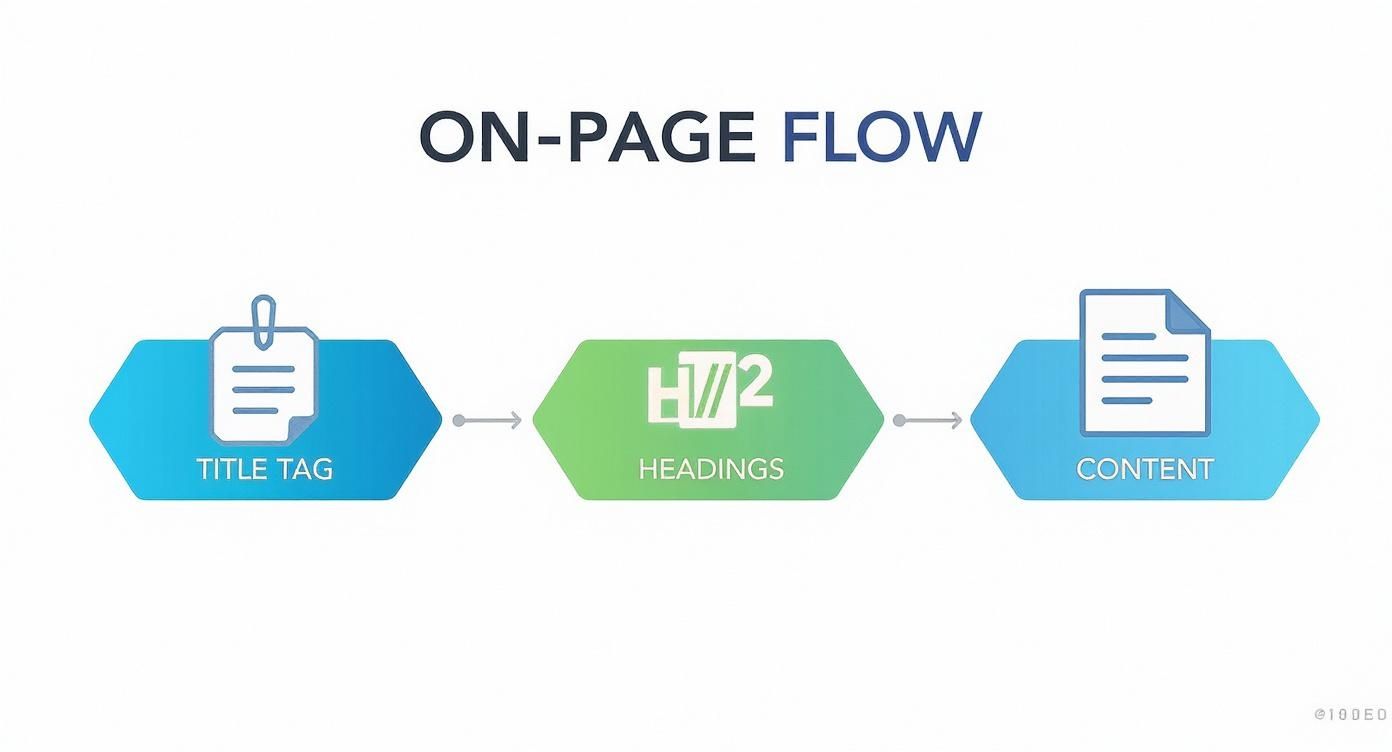
Fixing these core on-page factors is a classic high-impact, low-effort task that should be at the top of your list.
Here’s how I like to categorize audit findings for clients:
- High-Impact, Low-Effort (Quick Wins): These are your top priorities, no question. Think fixing a broken redirect chain that’s leaking authority or rewriting the title tags for their top five service pages. Get these done first.
- High-Impact, High-Effort (Major Projects): These are the big-ticket items that will really move the needle but require serious resources. A complete content overhaul or a deep technical site speed project would fall right in here.
- Low-Impact, Low-Effort (Fill-in Tasks): These are minor fixes you can batch together and knock out when you have a spare hour, like adding alt text to a handful of old blog images.
- Low-Impact, High-Effort (Re-evaluate Later): These are the tasks you should almost always put on the back burner. The return on investment just isn't there to justify the time and money.
By presenting your findings within this framework, you're giving the client a clear, logical sequence of events. You’re not just handing them a messy to-do list; you’re delivering a phased project plan that maximizes their return at every single step.
Turning the Audit into a Proposal
Now for the final step: seamlessly transitioning your audit presentation into a sales conversation. Every single problem you’ve identified and prioritized is an opportunity to showcase your solution. It’s all about connecting each action item on your roadmap to a specific service you offer.
For example, when you get to the content gaps you uncovered, that’s your cue to naturally introduce your content strategy services. When you're highlighting those technical speed issues, you can explain how your team has direct experience implementing the exact fixes needed.
If you're an Austin business owner looking for a partner to execute these strategies, exploring full-service Austin SEO services can provide the expertise you need to turn your audit into tangible results.
By tying every issue directly to a business outcome and presenting a clear, prioritized plan, the audit stops feeling like a critique. It starts feeling like the first step in a successful partnership. You’ve already proven your value, built trust, and laid out the exact path to helping them hit their goals.
Common Questions We Hear About SEO Audits
Even with the best template in hand, you're going to get questions. It's just part of the job. Whether you're walking a new client through their first audit or just trying to tighten up your own process, being ready with clear, practical answers makes all the difference.
Here are the questions that come up time and time again—and our straight-to-the-point answers to help you handle them like a pro.
How Often Should I Run an SEO Audit?
A full-blown, deep-dive audit is a major strategic effort. Think of it as the annual physical for a website. We recommend doing one annually or semi-annually to step back, see where you stand against the competition, adapt to any big algorithm changes, and set the strategy for the next 6-12 months.
But here’s where people go wrong: they rely only on that big audit. You can't just set it and forget it for a year. That massive report needs to be paired with consistent, monthly "health checks." These are quick, focused reviews where you're just keeping an eye on the vital signs.
What to check monthly:
- Organic Traffic & Conversions: Are your money pages growing, or are they starting to slip?
- Keyword Rankings: Are you gaining or losing ground on the keywords that actually drive business?
- Google Search Console Errors: Have any new crawl errors, 404s, or mobile usability warnings popped up?
For any new client, a comprehensive audit is non-negotiable. It's the only way to build a real strategy from the ground up. For your ongoing retainers, the big audit is your chance to pivot and refine, while the monthly check-ins keep the campaign steering in the right direction.
The big audit sets the destination, but the monthly checks are how you steer the ship. Without both, you're just drifting.
What Are the Best Tools for an SEO Audit?
You can actually get a surprisingly long way without spending a dime. The free tools from Google are the absolute foundation of any audit and should be your single source of truth for your site’s data.
Google Search Console and Google Analytics are where you'll get your core performance and technical data. For site speed, Google's PageSpeed Insights is the industry standard. And for crawling, the free version of Screaming Frog is a beast—it’ll crawl up to 500 URLs, making it perfect for most small to medium-sized sites.
Once you’re ready to invest, you'll want to look at the big players like Semrush or Ahrefs. They are the undisputed champs for a reason. Their site audit features, competitor analysis tools, and backlink data are things the free tools just can't touch. They automate a ton of the grunt work, freeing you up to spend time on what really matters: analysis and strategy.
A smart workflow is to use the Google suite as your primary data source, then layer in a paid tool for the deeper competitive intelligence and more efficient technical crawling.
How Do I Explain Technical Issues to a Non-Technical Client?
This is probably the most underrated skill in SEO. If you drown a client in technical jargon, you'll lose them. Fast. The key is to stop talking about the problem and start talking about the consequence—in business terms.
Don't say, "You have significant render-blocking CSS."
Instead, try, "Some of the code on your site is loading out of order, which makes the pages feel sluggish to visitors. That delay can be just enough to make someone on their phone give up and leave before they even see your contact info."
Analogies are your best friend here. A messy site structure is like a grocery store with no signs on the aisles—people get frustrated and walk out. A slow website is like having only one cashier open during the holiday rush.
Always, always connect the technical issue to a real business impact. For example: "Because these main service pages load so slowly on mobile, we estimate you're losing out on potential leads who click away before the page even finishes loading." Showing them a screenshot from PageSpeed Insights with a big red mobile score makes the problem instantly real.
Your job isn't to teach them code; it's to translate code into consequences they care about.
Ready to turn these insights into action? At Gidds Media, we build SEO strategies that drive measurable growth for Austin businesses. Start with our free, no-pressure SEO audit to uncover your biggest opportunities.


