

In the competitive digital landscape, a beautiful website is only half the battle. If search engines can't find, crawl, and understand your content, your online presence is built on shaky ground. Technical SEO is the bedrock of any successful digital strategy, ensuring your site is optimized for both search engines and users. It’s the critical work behind the scenes that makes your content visible and your user experience seamless, directly impacting your ability to rank and attract qualified leads.
This guide moves beyond generic advice to provide a comprehensive roundup of essential technical SEO best practices. We will break down nine core pillars, from site speed and mobile-first design to crawlability and structured data implementation. Each point is tailored with actionable steps specifically for WordPress and local business websites, giving you the tools to transform your site from an online brochure into a 24/7 lead-generating machine. Think of it as the architectural blueprint for your digital presence; without a solid foundation, even the most compelling content or sophisticated ad campaigns will struggle to perform.
By mastering these foundational elements, you ensure that search engines can efficiently process and reward your website. The principles covered here work hand-in-hand with smart design. For instance, beyond the foundational elements, a well-executed website also incorporates essential website design principles that boost SEO to enhance visibility and user experience. This comprehensive approach ensures that every aspect of your site is fine-tuned for performance. Let's dive into the specific, practical insights you can implement today to build a technically sound website that drives measurable growth.
1. Site Speed Optimization
Site speed optimization is a cornerstone of technical SEO best practices, focusing on reducing your website's loading time. It directly impacts user experience and search engine rankings. A slow website frustrates visitors, leading to higher bounce rates, while a fast site encourages longer engagement and conversions. Google has explicitly confirmed that site speed is a ranking factor, integrating Core Web Vitals (CWV) into its algorithm.
These Core Web Vitals are a set of specific metrics Google uses to measure a page's real-world user experience. They assess loading performance, interactivity, and visual stability. Failing to meet these thresholds can negatively affect your search visibility, particularly on mobile devices where user patience is even shorter.
Why Site Speed is a Critical Technical SEO Practice
The impact of loading speed is not theoretical; it has a direct, measurable effect on business outcomes. For instance, Amazon calculated that just a 100-millisecond delay in page load time could cost them 1% in sales. Similarly, the BBC discovered they lost an additional 10% of users for every extra second their site took to load. These examples underscore that performance isn't just a technical metric; it's a crucial business KPI.
The infographic below highlights the three core metrics that define a good page experience.
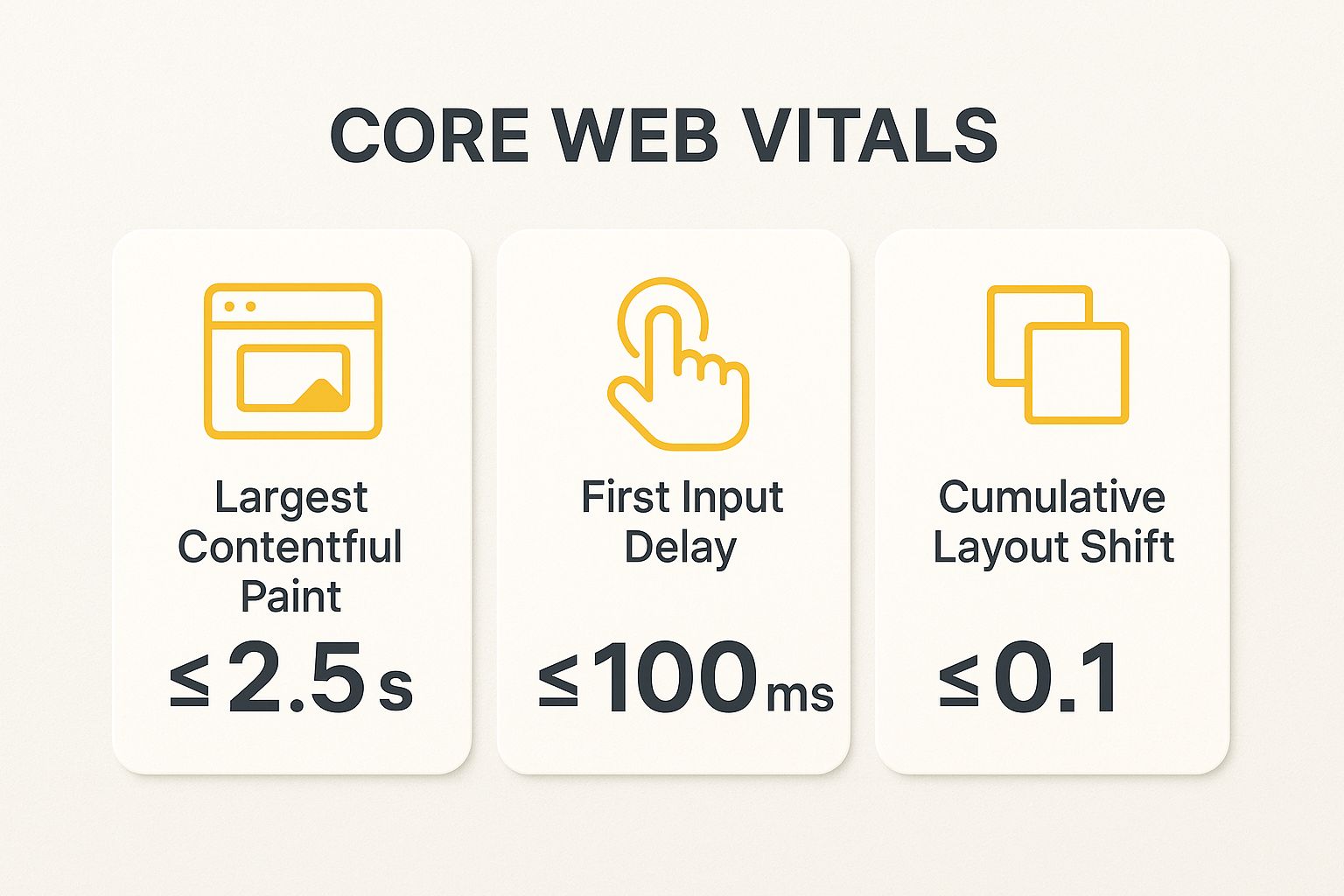
Meeting these specific targets for LCP, FID, and CLS is essential for signaling a high-quality user experience to Google.
Actionable Steps for Implementation
To improve your site's performance, focus on these practical steps:
- Compress and Optimize Images: Use modern image formats like WebP and tools like TinyPNG to reduce file sizes without sacrificing quality.
- Enable Caching: Implement browser and server-side caching to store static assets, reducing load times for returning visitors. For WordPress sites, plugins like WP Rocket are highly effective.
- Minify Code: Reduce the size of your HTML, CSS, and JavaScript files by removing unnecessary characters, comments, and spaces.
- Choose Quality Hosting: A fast, reliable hosting provider with a good server response time is fundamental. A cheap host often leads to a slow site.
- Use a Content Delivery Network (CDN): A CDN stores copies of your site on servers worldwide, delivering content from the location closest to the user, which dramatically reduces latency.
For a deeper dive into how performance impacts your bottom line, you can learn more about the importance of site speed.
2. Mobile-First Responsive Design
Mobile-first responsive design is an essential component of modern technical SEO best practices. This approach involves designing a website for mobile devices first, then progressively enhancing the layout and features for larger screens like tablets and desktops. It directly aligns with Google's mobile-first indexing, where the search engine predominantly uses the mobile version of your content for indexing and ranking. A poor mobile experience can therefore severely damage your search visibility.

This strategy ensures that the core user experience is optimized for the majority of today's internet users, who primarily browse on their phones. Prioritizing mobile forces you to focus on essential content and functionality, resulting in a cleaner, faster, and more user-friendly site across all devices.
Why Mobile-First Design is a Critical Technical SEO Practice
The shift to mobile-first indexing means Google's perception of your website is almost entirely based on its mobile version. If critical content, structured data, or internal links are missing from your mobile site, Google may not see them at all. This practice is not just about aesthetics; it's about ensuring search engines can fully crawl and understand your site's value.
Real-world examples prove its impact. After implementing a mobile-first redesign, Starbucks saw revenue from mobile orders double. Similarly, Smashing Magazine's mobile-first approach improved user engagement metrics across every device, demonstrating that a strong mobile foundation benefits all users. These cases highlight that optimizing for mobile directly translates to better performance and business growth.
Actionable Steps for Implementation
To properly implement a mobile-first responsive design, follow these practical steps:
- Design for the Smallest Viewport: Start your design process with a small screen width, such as 320px, to focus on core content and navigation.
- Use Relative Units: Implement CSS with relative units like percentages (%), ems, and rems for widths and font sizes instead of fixed pixels. This allows your layout to adapt fluidly to different screen sizes.
- Prioritize Touch Targets: Ensure all buttons and links have a minimum touch target size of 44×44 pixels to prevent user frustration from accidental clicks.
- Test on Real Devices: While browser emulators are helpful, always test your website on a variety of actual mobile devices to identify real-world usability issues.
- Regularly Use Google's Mobile-Friendly Test: Periodically run your URLs through Google's Mobile-Friendly Test tool to catch any new issues that could impact your rankings.
For a deeper understanding of how this approach contributes to an effective online presence, you can learn more about creating an engaging and converting homepage.
3. Structured Data Implementation
Structured data implementation is a critical component of technical SEO best practices, involving the use of a standardized format (schema markup) to provide information about a page and classify its content. This "vocabulary" helps search engines like Google understand your content's context, enabling them to display it in richer, more engaging ways in the search results. It's the code behind rich snippets like star ratings, event dates, and recipe cooking times.
By explicitly telling search engines what your data means, you move beyond simple keyword matching and into contextual understanding. This process allows your website to qualify for enhanced search features, which significantly increases visibility, click-through rates (CTR), and qualified traffic. It’s a direct way to communicate with search engine crawlers and make your content stand out from the competition.
Why Structured Data is a Critical Technical SEO Practice
The direct impact of structured data is seen in the Search Engine Results Pages (SERPs). For example, recipe websites using Recipe schema often see a 30% or higher CTR because their listings include images, ratings, and cooking times. Similarly, e-commerce sites using Product schema can display prices, availability, and review ratings directly in search results, attracting more qualified buyers before they even click.
These enhanced results, known as rich snippets, offer a competitive advantage by taking up more visual real estate and providing immediate value to the user. For a local business, using LocalBusiness schema can display your address, hours, and phone number, making it easier for Austin-based customers to find and contact you.
Actionable Steps for Implementation
To implement structured data effectively, focus on these practical steps:
- Prioritize JSON-LD: Use the JSON-LD (JavaScript Object Notation for Linked Data) format. It's Google's recommended implementation because it's easier to add and manage without altering your existing HTML.
- Validate Your Markup: Before and after deployment, always use Google's Rich Results Test tool to ensure your code is error-free and eligible for rich results.
- Start with Key Pages: Begin by implementing schema on your most important pages, such as your homepage (
Organizationschema), product pages (Productschema), or blog posts (Articleschema), and then expand from there. - Keep it Consistent: Ensure the information in your structured data markup accurately matches the content that is visible to users on the page. Discrepancies can lead to penalties.
- Monitor Performance: Use Google Search Console's "Enhancements" reports to monitor for any errors or warnings related to your structured data and track the performance of your rich results.
4. XML Sitemap Optimization
XML sitemap optimization is a fundamental aspect of technical SEO best practices, focusing on creating a roadmap for search engines to follow. It involves generating and maintaining a well-structured file that lists all important URLs on your website, making it easier for search engine crawlers to discover and index your content efficiently. A properly optimized sitemap acts as a direct communication channel with search engines like Google and Bing.
This file provides crucial metadata about each URL, such as when it was last updated, how frequently it changes, and its priority relative to other pages. For large websites, complex sites, or new sites with few external links, an XML sitemap is indispensable for ensuring search engines are aware of all your crawlable pages, including those that might otherwise be missed.
Why XML Sitemap Optimization is a Critical Technical SEO Practice
Without a clean, comprehensive sitemap, you leave content discovery to chance. Search engine crawlers might miss new blog posts, updated product pages, or deep-seated content, delaying or preventing their indexation. This directly impacts your ability to rank for relevant keywords. A well-managed sitemap accelerates the indexing process, which is critical for time-sensitive content.
For example, news websites use specialized news sitemaps to get articles indexed within minutes of publication, maximizing their visibility during peak interest. Similarly, e-commerce sites with thousands of frequently changing products rely on sitemaps to ensure their inventory is accurately reflected in search results. This practice ensures your most valuable pages get the attention they deserve from search engines.
Actionable Steps for Implementation
To properly optimize your XML sitemap, focus on these practical steps:
- Generate and Submit Your Sitemap: Use a tool or plugin, like Yoast SEO or Rank Math for WordPress, to automatically generate your sitemap. Submit the sitemap URL (e.g.,
yourdomain.com/sitemap_index.xml) via Google Search Console and Bing Webmaster Tools. - Keep it Clean and Current: Your sitemap should only include canonical URLs that return a 200 (OK) status code. Exclude non-canonical versions, redirected URLs, and pages blocked by
robots.txtto avoid sending mixed signals. - Adhere to Size Limits: Keep individual sitemaps under 50,000 URLs and 50MB in size. For larger websites, use a sitemap index file to nest multiple sitemaps, which helps with organization and processing.
- Automate Updates: Configure your sitemap tool to automatically update and ping search engines whenever you publish new content or make significant changes to existing pages.
- Use Specialized Sitemaps: If applicable, create separate sitemaps for images, videos, or news content to provide more specific information to search engines and enhance visibility in those search verticals.
For a comprehensive guide on sitemap protocols and standards, the official resource is Sitemaps.org, which was established by Google, Yahoo, and Microsoft.
5. Robots.txt Configuration
Robots.txt configuration is a fundamental aspect of technical SEO best practices, involving a simple text file that instructs search engine bots on how to crawl your website. This file, placed in your site's root directory, acts as a guide, telling web crawlers which pages or files they can or cannot request from your site. It is one of the first things a search engine bot looks for when visiting your website.
Properly managing your robots.txt file is crucial for controlling your crawl budget, which is the number of pages a search engine will crawl on your site within a given timeframe. By blocking access to unimportant or private sections, you can direct search engines to spend their resources crawling and indexing your most valuable content, ensuring your key pages get the attention they deserve.
Why Robots.txt is a Critical Technical SEO Practice
A misconfigured robots.txt file can have catastrophic consequences for your SEO. Accidentally disallowing your entire site (Disallow: /) can cause it to be completely removed from search results. Conversely, failing to block sensitive areas can lead to the indexation of private user data, duplicate content from URL parameters, or thin-content pages that offer no value, ultimately harming your site's overall search performance.
For example, WordPress sites typically use robots.txt to block admin areas (/wp-admin/) and certain plugin directories to prevent them from being crawled. Similarly, e-commerce websites often block user account pages and the checkout process, as these pages have no value in search results and can waste crawl budget.
Actionable Steps for Implementation
To effectively manage your robots.txt file, follow these practical steps:
- Place in the Root Directory: Your robots.txt file must be located at the root of your domain (e.g.,
yourdomain.com/robots.txt) to be found by crawlers. - Include Your Sitemap: Add a line to your robots.txt file pointing to your XML sitemap (
Sitemap: https://yourdomain.com/sitemap_index.xml). This helps search engines discover all your important pages more efficiently. - Use Specific Directives: Use
User-agent:to specify instructions for particular bots (e.g.,User-agent: Googlebot) or all bots (User-agent: *). UseDisallow:to block access andAllow:to create exceptions for subdirectories within a disallowed directory. - Block Unnecessary Sections: Prevent crawlers from accessing admin login pages, internal search results, shopping cart pages, and parameterized URLs that create duplicate content.
- Test Your File: Regularly use Google Search Console's robots.txt Tester to verify that your rules are working as intended and not inadvertently blocking important content.
You can learn more about how crawlers interpret these rules from Google's official robots.txt documentation.
6. HTTPS Implementation and SSL Security
HTTPS implementation is a foundational element of technical SEO best practices, securing your website by encrypting data transmitted between a user's browser and your server. This is achieved through an SSL (Secure Sockets Layer) or TLS (Transport Layer Security) certificate. Beyond protecting sensitive user data like passwords and credit card information, HTTPS has become a non-negotiable for modern SEO.
Search engines, led by Google, now consider HTTPS a significant ranking signal. Major browsers like Chrome and Firefox actively flag non-HTTPS sites as "Not Secure," which can immediately erode visitor trust and increase bounce rates. For any website, but especially e-commerce and lead generation sites, a secure connection is essential for maintaining credibility and conversions.
Why HTTPS is a Critical Technical SEO Practice
The shift to a secure web isn't just a recommendation; it's a standard with measurable benefits. Google confirmed years ago that switching to HTTPS provides a minor ranking boost, and its importance has only grown. For local businesses, a secure site signals professionalism and reliability, which are key factors in a user's decision-making process.
E-commerce sites, for instance, often see improved conversion rates after implementing HTTPS, as users feel safer providing payment details. The clear "Not Secure" warning on HTTP sites acts as a powerful deterrent, directly impacting user behavior and, consequently, your site's performance metrics and search rankings. Failing to secure your site is no longer an option if you want to compete effectively online.
Actionable Steps for Implementation
Properly migrating from HTTP to HTTPS is crucial to avoid SEO issues. Follow these practical steps:
- Acquire and Install an SSL Certificate: Most quality hosting providers offer free Let's Encrypt SSL certificates that can be installed with one click.
- Implement 301 Redirects: Set up sitewide 301 redirects to permanently point all HTTP URLs to their HTTPS equivalents. This transfers link equity and prevents duplicate content issues.
- Update All Internal Links: Crawl your site to find and update any hardcoded internal links, images, or script references from
http://tohttps://. - Update Canonical and Hreflang Tags: Ensure your canonical and hreflang tags point to the new HTTPS versions of your pages.
- Update Search Console and Analytics: Add the HTTPS version of your site as a new property in Google Search Console and update the URL in Google Analytics settings to ensure accurate tracking.
7. URL Structure Optimization
URL structure optimization is a foundational aspect of technical SEO best practices, focusing on creating clean, logical, and descriptive web addresses. A well-crafted URL acts as a clear signpost for both users and search engine crawlers, providing immediate context about the page's content. Confusing URLs filled with parameters and random characters can deter clicks and make it harder for search engines to categorize your content, while a simple, keyword-rich structure improves usability and crawlability.
This practice is about more than just aesthetics; it directly influences how your pages are understood and ranked. A logical URL hierarchy reflects your site's architecture, reinforcing the relationships between different sections and pages. This clarity helps search engines like Google better understand your content's relevance to specific search queries, which can positively impact your search visibility.
Why URL Structure is a Critical Technical SEO Practice
A clean URL structure is one of the first elements a user sees in the search results, making it a key factor in their click-through decision. A readable URL like /blog/local-seo-tips inspires more confidence than a convoluted one like /p?id=88c=cat4. This user-centric approach is highly valued by search engines.
Moreover, optimized URLs that contain relevant keywords provide a minor but still valuable ranking signal. For example, a URL for a local Austin bakery like /cakes/custom-birthday-cakes-austin immediately tells Google about the page's topic and geographical relevance. This simple optimization helps align your content with user intent from the very start.
Actionable Steps for Implementation
To improve your website’s URL structure, focus on these practical steps:
- Keep it Simple and Descriptive: URLs should be easy to read and understand. Aim to keep them under 60 characters and avoid unnecessary words or stop words (like "a," "the," "and").
- Use Hyphens for Separation: Always use hyphens (-) to separate words in your URLs. Avoid using underscores (_) or spaces, as search engines process hyphens as word separators.
- Incorporate Target Keywords: Naturally include your primary keyword in the URL slug to provide context. For example, a page about technical SEO services should have a URL like
/services/technical-seo. - Maintain a Consistent Structure: Use a logical, hierarchical structure. For a local business blog, a good format is
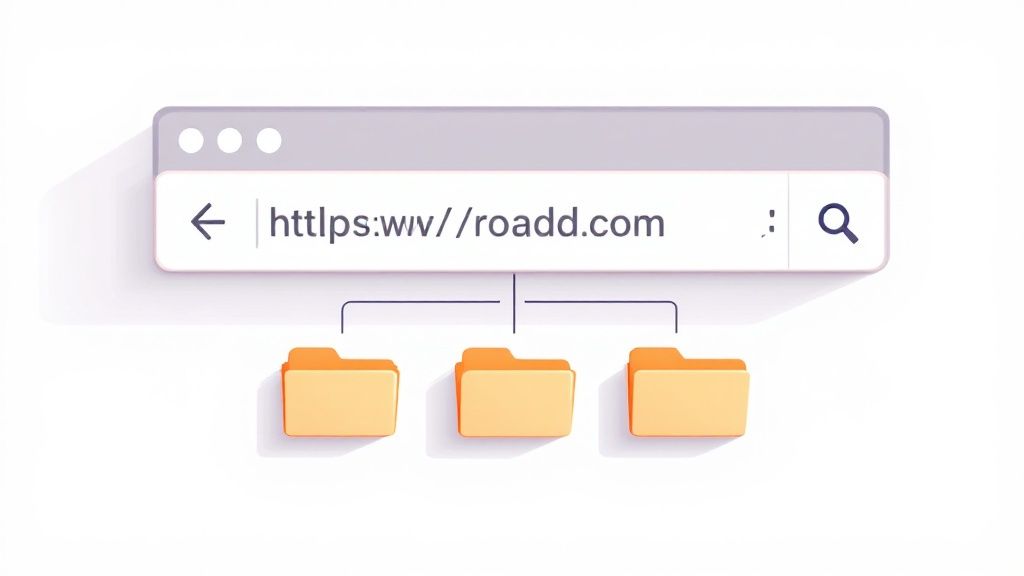
yourdomain.com/blog/topic-name. For an e-commerce store, useyourdomain.com/category/product-name. - Use 301 Redirects for Changes: If you ever need to change an existing URL, always implement a permanent 301 redirect from the old URL to the new one to preserve link equity and avoid broken links.
8. Internal Linking Strategy
An internal linking strategy is a fundamental component of technical SEO best practices, involving the deliberate linking from one page to another within the same domain. This practice is crucial for distributing page authority (link equity), improving user navigation, and helping search engines discover and understand your site's structure and the relationship between different pieces of content. A well-executed strategy guides both users and crawlers to your most important pages, signaling their significance.
By creating a logical network of links, you can pass authority from strong pages, like your homepage, to deeper pages that might otherwise struggle to rank. This is not just about randomly adding links; it’s about creating a contextual, hierarchical structure that supports your overall SEO goals. A strong internal linking framework makes your website more cohesive and easier for search engines to crawl and index effectively.
Why Internal Linking is a Critical Technical SEO Practice
The strategic value of internal linking extends far beyond simple navigation. It is one of the most powerful on-page factors for improving rankings. For example, HubSpot popularized the "topic cluster" model, where a central "pillar" page on a broad topic links out to more specific "cluster" content. This strategy helped them improve organic traffic by signaling topical authority to Google.
Similarly, Wikipedia’s search engine dominance is heavily supported by its dense and highly relevant internal linking structure, which helps Google understand the deep relationships between millions of topics. For local businesses, linking from a high-traffic blog post about "choosing a plumber in Austin" to your specific "emergency plumbing services" page can pass authority and drive qualified leads.
Actionable Steps for Implementation
To build a powerful internal linking structure for your site, focus on these practical steps:
- Use Descriptive Anchor Text: Avoid generic phrases like "click here." Instead, use keyword-rich anchor text that accurately describes the destination page's content, such as "WordPress website design services."
- Create Topic Clusters: Organize your content around pillar pages. Identify your main services or topics, create comprehensive pillar pages for them, and then create supporting cluster content that links back to the pillar.
- Link from High-Authority to Low-Authority Pages: Use tools like Ahrefs or Semrush to identify your most authoritative pages. Add internal links from these pages to newer or less visible pages that you want to boost.
- Conduct an Internal Link Audit: Regularly audit your site to find "orphan" pages (pages with no internal links pointing to them) and identify new linking opportunities. WordPress plugins like Link Whisper can automate this process.
- Maintain a Reasonable Link Count: While there's no magic number, aim to keep the number of links on any given page, both internal and external, under 100 to avoid diluting link equity and overwhelming users.
9. Crawlability and Indexability Optimization
Crawlability and indexability are the twin pillars that allow search engines to find and display your content. This aspect of technical SEO best practices focuses on ensuring search engine bots can efficiently discover, access, and add your website's pages to their vast index. If a search engine cannot crawl your site, even the best content will remain invisible to potential customers.
A site is "crawlable" if bots can easily navigate through its links to find all your important content. "Indexability" refers to a search engine's ability to analyze and store that content in its database. Issues like broken links, complex URL structures, or misconfigured robots.txt files can create significant barriers, preventing key pages from ever reaching the search results page.
Why Crawlability and Indexability are Critical Technical SEO Practices
Your website's success in organic search is fundamentally limited by a search engine's ability to crawl and index it. E-commerce sites, for example, must ensure their product and category pages are easily discoverable for sales to occur. Similarly, large news websites rely on efficient crawling to get breaking stories indexed within minutes. Ignoring these foundational elements is like building a store with a locked front door; no one can get in to see what you offer.
Optimizing for crawlers involves managing your "crawl budget," the number of pages a search engine bot will crawl on your site during a given period. By guiding bots to high-value pages and away from low-value ones (like internal search results or duplicate pages), you maximize the efficiency of each crawl and improve your chances of getting important content indexed quickly.
Actionable Steps for Implementation
To improve your site's crawlability and indexability, concentrate on these practical steps:
- Monitor Google Search Console: Regularly check the "Coverage" report in Google Search Console to identify crawl errors, such as 404s (Not Found) or server errors (5xx), that prevent pages from being indexed.
- Optimize Your Robots.txt File: Use your
robots.txtfile to tell search engine bots which parts of your site they should and should not crawl. Be careful not to block important CSS or JavaScript files, as this can hinder rendering. - Create and Submit an XML Sitemap: An XML sitemap acts as a roadmap for search engines, listing all your important URLs. Submit it through Google Search Console to help Google discover your content more efficiently.
- Implement a Logical Internal Linking Structure: A strong internal linking strategy helps crawlers understand the relationship between your pages and discover new content. Link from high-authority pages to your most important new pages.
- Use
noindexTags Strategically: Apply thenoindexmeta tag to thin-content or low-value pages that you don't want in search results. This conserves your crawl budget for the pages that truly matter.
For a comprehensive look at how these elements fit into a larger strategy, you can explore this guide to deconstructing SEO for your online presence.
Technical SEO Best Practices Comparison
| Item | Implementation Complexity 🔄 | Resource Requirements ⚡ | Expected Outcomes 📊 | Ideal Use Cases 💡 | Key Advantages ⭐ |
|---|---|---|---|---|---|
| Site Speed Optimization | High – requires technical expertise and ongoing maintenance | Moderate to high – development time and tooling | Faster load times, improved rankings, better UX | Sites needing better performance and SEO | Better rankings, higher conversions, lower bounce rates |
| Mobile-First Responsive Design | Moderate to high – complex initial design and testing | Moderate – design and development resources | Improved mobile experience, better mobile SEO | Mobile-heavy traffic sites and responsive needs | Enhanced mobile UX, single URL SEO benefits |
| Structured Data Implementation | Moderate – requires schema knowledge and ongoing updates | Moderate – technical skills for markup | Enhanced search results, higher CTR | Sites wanting rich snippets and enhanced SERP | Increased visibility, better search understanding |
| XML Sitemap Optimization | Low to moderate – initial setup and ongoing updates | Low – mostly maintenance and monitoring | Faster indexing, better crawl efficiency | Large or complex sites, frequent content updates | Improved crawl budget, better content discovery |
| Robots.txt Configuration | Low to moderate – simple file but requires precision | Low – minimal resources needed | Manage crawl budget, block unwanted content | Sites needing crawl control and privacy | Prevents unwanted crawling, protects sensitive pages |
| HTTPS Implementation and SSL Security | Moderate – server configuration complexity | Moderate – certificate costs and management | Improved security, trust, SEO boost | All sites, especially e-commerce and data-sensitive | Enhanced security, better rankings, user trust |
| URL Structure Optimization | Moderate – requires planning and redirects on changes | Low to moderate – mainly planning and management | Cleaner URLs, better rankings and usability | SEO-focused sites and large websites | Better SEO, user-friendly links, reduced duplicates |
| Internal Linking Strategy | Moderate – ongoing strategy and content linking | Moderate – requires content audits and planning | Improved UX, crawlability, and ranking distribution | Sites with deep content and complex structure | Boosts SEO, reduces bounce, enhances content authority |
| Crawlability and Indexability Optimization | Moderate to high – ongoing monitoring and technical fixes | Moderate – tools and developer involvement | Better indexation, efficient crawling | Large, dynamic, or complex sites | Improved visibility, crawl efficiency, faster discovery |
Building a Technically Sound Future for Your Website
Navigating the landscape of technical SEO can feel like assembling a complex engine; every gear, every piston, and every circuit must work in perfect harmony. Throughout this guide, we've broken down that engine into its core components, from optimizing for lightning-fast site speed and mastering mobile-first design to implementing precise structured data and configuring a flawless XML sitemap. You now have a detailed blueprint for building a website that doesn't just look good but performs with exceptional efficiency for both users and search engine crawlers.
The journey through robots.txt configuration, URL structure optimization, and internal linking strategies reveals a fundamental truth: success in SEO is built on a foundation of details. These are not just boxes to check. They are strategic decisions that directly influence how Google perceives, understands, and ultimately ranks your website. Implementing HTTPS and a valid SSL certificate is no longer an option but a baseline requirement for earning user trust and search engine favor. A solid foundation in these technical SEO best practices ensures that your content marketing, link-building, and local SEO efforts are not wasted on a site that search engines struggle to access or understand.
From Theory to Action: Your Next Steps
The true value of this knowledge lies in its application. It's time to move from reading to doing. While the scope of technical SEO is vast, you don’t have to tackle everything at once. A strategic, phased approach will yield significant results without overwhelming your resources.
Here is a practical roadmap to get you started:
- Start with an Audit: Begin by running a comprehensive site crawl using tools like Screaming Frog or Semrush. This will immediately highlight critical errors like broken links (404s), server errors (5xx), and improper redirects that need immediate attention.
- Prioritize for Impact: Focus on the "low-hanging fruit" that offers the biggest return. Often, this means addressing site speed and mobile usability. Use Google's PageSpeed Insights and Mobile-Friendly Test to get a clear baseline and actionable recommendations directly from the source.
- Enhance Crawlability and Indexation: Review your
robots.txtfile to ensure you aren't accidentally blocking important resources. Then, submit your optimized XML sitemap via Google Search Console and monitor the "Pages" report for any indexation issues. This ensures Google can find and rank your most valuable content.
Mastering these technical SEO best practices is not a one-time project but an ongoing commitment to digital excellence. It’s about creating a robust, reliable, and user-friendly digital asset that serves as the cornerstone of your online presence. For local Austin businesses, this technical proficiency is a powerful competitive differentiator, allowing you to outmaneuver competitors who neglect their website's underlying health. By consistently refining your site's technical foundation, you are not just chasing rankings; you are building a sustainable engine for long-term growth, lead generation, and business success. The investment you make in technical integrity today will pay dividends in visibility, traffic, and conversions for years to come.
Feeling overwhelmed by the technical details or unsure where to begin? The team at Gidds Media specializes in demystifying technical SEO and implementing strategies that drive measurable growth for businesses just like yours. Schedule a free, no-pressure SEO audit with us today, and let's uncover the opportunities waiting within your website's code.
Article created using Outrank


