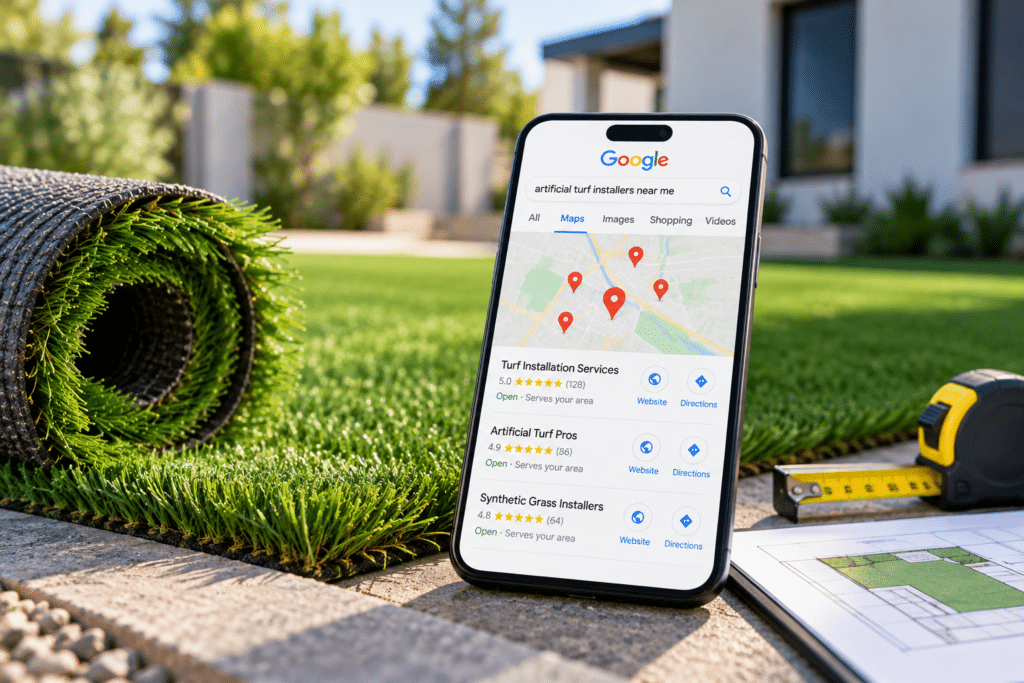
When a homeowner searches “artificial turf installer near me,” Google shows a map with three local businesses at the top. Those three spots get the first look, the first calls, and often the job.
If you install turf across several towns, you’ve probably noticed you show up in some cities and vanish in others. This guide to local SEO for turf installers explains why that happens and what you can actually do about it.
We’ll keep it practical. No fluff, no tricks that get your profile suspended.
Key Takeaway: To rank in the map pack, you need a verified, complete Google Business Profile, a steady flow of genuine reviews, and a website with a useful page for each service and city you cover. But one profile won’t rank in the map everywhere. Google weighs distance heavily, so you’ll usually win the map near your base and win the regular search results further out with strong city pages. A second map listing only makes sense if you open a real, staffed location.
What Is the Map Pack, and Why Does It Matter for Turf Companies?
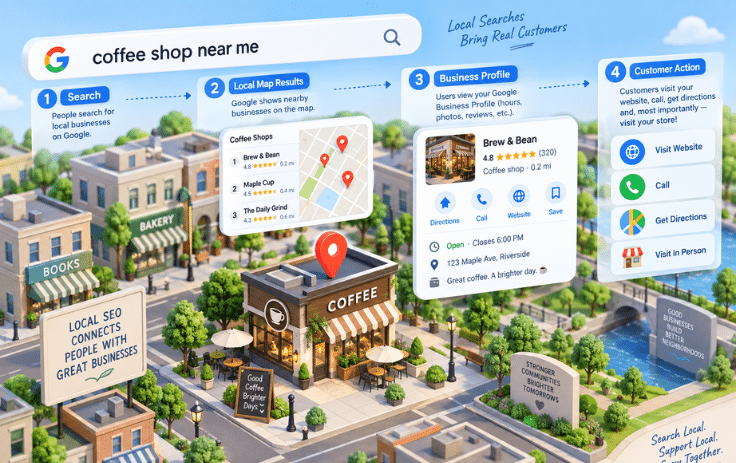
The map pack is the box of three local businesses that appears with a map for searches like “turf installation [city].” Below it are the regular (organic) search results.
Turf is a high-ticket, local service. Homeowners rarely scroll far. They call whoever looks trustworthy in the first few results, with good photos and good reviews.
Map pack vs. regular results at a glance:
| – | Map pack | Regular search results |
|---|---|---|
| What shows | Your Google Business Profile | Pages from your website |
| Biggest driver | Closeness to the searcher, reviews, profile accuracy | Page quality, relevance, links |
| Reach | Strongest near your business location | Can reach any city you write genuinely useful pages for |
| What you control | Profile details, photos, reviews, website | Content, site speed, structure, links |
You want both. The map pack wins nearby searches. Your website wins the rest.
How Google Decides Which Turf Companies Show Up
Google says local results are based mainly on three things. Its Business Profile help page on local ranking lays them out:
Relevance
How well your profile matches the search. If someone searches “pet turf installer” and your profile never mentions pet turf, you’re less relevant.
What you control: Complete, detailed profile info, the right category, and website pages for each service.
Distance
How far your business is from the person searching. If they don’t share their location, Google estimates it.
What you control: Very little. This is why you can’t “optimize” your way into the map pack 60 miles away.
Prominence
How well-known your business is. Google notes this is partly based on how many websites link to you and how many reviews you have. It also says more reviews and positive ratings can help your ranking.
What you control: Reviews, local mentions, and links from real local organizations.
One more thing from that same page: there’s no way to pay Google for a better local ranking. Ads are a separate system. Google’s guide on hiring an SEO also confirms advertising doesn’t affect your organic results.
The Honest Truth About Ranking in Every City
Here’s what many marketers won’t tell you. A single Google Business Profile will not rank in the map pack in every city you serve. Distance is built into how the map works.
So “ranking in every city” really means three things working together:
- Win the map pack in and around your home base with a strong profile and reviews.
- Win the regular search results in farther cities with genuinely helpful city pages on your website.
- Add map listings only where you have a real, staffed location. Google allows one profile per location with its own staff and service area.
Anyone who promises you the map pack in 20 cities from one listing is either guessing or planning to break Google’s rules.
Step 1: Set Up Your Google Business Profile the Right Way
Your profile is the foundation. Google’s guidelines for representing your business are strict, and breaking them can get your profile suspended.
Use your real business name, nothing extra
Your name on Google must match your real-world name on your truck, invoices, and website. Adding “Best Artificial Turf Phoenix” to your name is not allowed. Google lists service info and location info as things you can’t stuff into the name.
Pick the most specific category
Google asks you to use as few categories as possible and pick the most specific one that fits. Its test is simple: the category should finish the sentence “This business is a…”
Type “turf” into the category box and see what’s offered in your country. Choose the closest match as your main category. Don’t add categories just to chase keywords.
Set your service areas correctly
Turf installers are usually service-area businesses. You go to the customer. Google’s service area help page sets these rules:
- You can add up to 20 service areas (cities, ZIP/postal codes, or regions).
- You can’t set a radius. You must list actual areas.
- Your overall area should stay within about 2 hours of driving from your base.
- Edits can take up to 48 hours to show.
Google describes service areas as a way to show customers where you work. It doesn’t call them a ranking factor. In practice, adding a city to your list won’t, by itself, put you in that city’s map pack.
Hide your home address
If you run the business from home and customers don’t visit, Google says to remove the address from your profile.
If you have a yard or showroom with permanent signage, staffed during your listed hours, you can show it and set service areas. Google calls this a hybrid business.
Never use a virtual office or mailbox. Google says rented addresses you don’t operate from aren’t eligible.
Write a clean business description
Describe your services, your experience, and what makes you different. Google’s rules say the description can’t include links, and shouldn’t focus on prices or sales. So skip “$X per square foot this month.”
Add real job photos, and keep adding them
Turf is a visual sale. Before-and-after shots sell jobs.
Google’s photo tips for Business Profiles recommend at least three “at work” photos showing the services you offer, plus team photos. It also asks for photos that are in focus, well lit, and not heavily filtered or AI-altered.
Good turf photos to post:
- Before and after of a lawn replacement
- Base prep and compaction in progress
- Pet turf and putting green installs
- Your crew on the job
- Close-ups of seams and edges (this shows craftsmanship)
List every service
Add each service you offer: residential lawns, pet turf, putting greens, playground turf, commercial installs, turf repair. This helps Google match you to more specific searches.
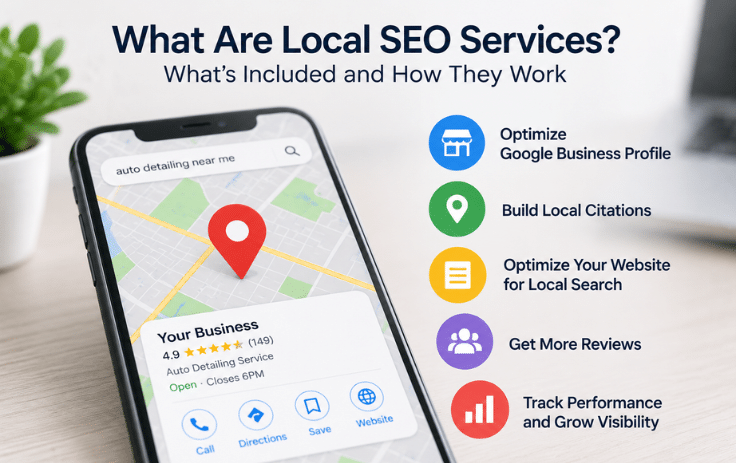
Want help getting this foundation right? Our local SEO service starts with a full profile audit against Google’s current rules.
Step 2: Build a Review System That Follows the Rules
Reviews are one of the few ranking signals you directly influence. They also do the selling for you.
How to ask for reviews
Google’s tips to get more reviews suggest sharing a review link or QR code with customers.
Simple ways to build it into your workflow:
- Text the review link the day you finish the install, when the customer is happiest.
- Put a QR code on your invoice or leave-behind care card.
- Make it one person’s job to send the request after every job.
- Ask every customer, not just the ones you think loved it.
What you can’t do
This is where many contractors get burned. Google’s Maps content policy does not allow businesses to:
- Offer discounts, gifts, or payment in exchange for reviews
- Ask only happy customers for reviews (often called “review gating”)
- Discourage negative reviews
- Ask customers to include specific wording in their review
- Post reviews on competitors’ profiles, or have staff and family review you
In the U.S., the stakes are legal too. The Federal Trade Commission’s final rule on fake reviews bans buying fake reviews, incentives tied to positive (or negative) reviews, undisclosed insider reviews, and using threats to suppress bad ones. The FTC can seek civil penalties against knowing violators.
How to reply to reviews
Reply to every review, good or bad. Google’s guidance says to keep replies short, personal, and polite, and to avoid turning them into ads.
For a negative review about, say, a seam lifting, acknowledge it, explain what you’ll do, and offer to call. Future customers read how you handle problems.
Step 3: Build City Pages That Actually Help People
City pages are how you reach towns where your map listing won’t show. Done well, they rank. Done badly, they get ignored or penalized.
What a good city page includes
Each page should be something a homeowner in that city would find useful. Include:
- Real projects in that city, with photos and a short story of the job
- Local conditions that affect turf there, such as soil type, heat, drainage, or slopes
- Local rules and programs, like HOA approval steps or any water district lawn-replacement rebates, if they exist in that area
- A real review from a customer in that city (with permission)
- Clear next steps: how to get a quote, typical scheduling, and what areas nearby you also cover
What gets you in trouble
Google’s spam policies specifically call out “doorway” pages. One of its examples is multiple pages targeted at different cities that all funnel to the same place.
Google also lists blocks of text naming cities you want to rank for as keyword stuffing.
So avoid:
- Copy-paste pages where only the city name changes
- A footer listing 50 towns
- Pages for cities you don’t actually serve
A good rule: if you can’t say something specific and true about working in that city, don’t build the page yet. Build it after you’ve done a few jobs there.
Step 4: Make Your Website Work With Your Profile
Your profile links to your website, and Google uses both to understand your business.
Give each service its own page
A page for pet turf, one for putting greens, one for lawn replacement, and so on. Each should answer what the customer really wants to know: materials, how long it lasts, maintenance, and what affects price.
Keep your details consistent
Your business name, phone number, and service areas should match across your website, Google profile, and other directories. Mismatches create confusion for both Google and customers.
Add business details code
You can add a small piece of code (called “structured data” or “schema”) that tells Google your business name, phone, hours, and more. Google’s LocalBusiness structured data guide explains how. It recommends using the most specific business type available, and testing with Google’s Rich Results Test.
Keep it accurate. The code should match what’s actually on your page and profile.
Make it easy to call from a phone
Most turf searches happen on phones. Your number should be tap-to-call, your quote form short, and your pages fast.
If your site needs deeper work, like structure, speed, or content, that falls under broader website SEO, not just local listings.
Step 5: Earn Local Mentions and Links
Remember, Google says prominence is partly based on how many websites link to you. For turf installers, the best links come from real local relationships:
- Suppliers and manufacturers that list certified or authorized installers
- Local landscapers, pool builders, and hardscapers you partner with on projects
- HOAs, schools, and parks where you’ve installed turf
- Local news or community sites covering a notable install, such as a youth field or a water-saving project
- Chamber of commerce and trade association member directories
Avoid buying links or swapping links in bulk. Google’s spam policies list both as link spam.
When Should You Open a Second Location?
A second Google profile is allowed only if it’s a real location. Google’s guidelines say a service business with different locations can have one profile per location, as long as each has its own staff and service area.
That means:
- A crew and someone who answers for that location
- A real address (not a virtual office or mailbox)
- If it’s a co-working space, it needs signage, staff during business hours, and the ability to receive customers
Open a second location when the business case supports it, like steady demand and a crew in that region. Don’t open one just to get a map pin.
Local SEO for Turf Installers: Timeline, Cost, and What to Expect
How long does it take?
There’s no fixed timeline, and anyone who promises one should make you cautious. Google’s own advice on hiring an SEO suggests asking what results to expect and in what timeframe, and warns that no one can guarantee a #1 ranking.
Here’s how it usually unfolds in practice:
- First few weeks: Profile fixes, category changes, and service area updates take effect. Google says service area edits can take up to 48 hours to appear.
- First few months: Reviews build, new service and city pages get found, and you start showing for more specific searches.
- Ongoing: Prominence grows with every review, project, and local link. This compounds over time.
How fast you move depends on your competition, how many reviews you start with, and the state of your website.
What does it cost?
Costs vary widely, so we won’t quote a made-up average. What drives the price:
- Number of cities and services you want to target
- Competition in your market (a crowded metro takes more work than a small town)
- Your website’s condition, since a slow or thin site may need rebuilding
- Content needs, like city pages with real project write-ups
- Whether you do it yourself or hire help
The cheapest option is doing the basics yourself. Google itself says many small local businesses can handle much of this on their own.
Doing it yourself vs. hiring help
| Do it yourself | Hire a specialist | |
|---|---|---|
| Cost | Your time | Monthly or project fee |
| Best for | One city, low competition, owner with time | Multiple cities, crowded markets, busy season |
| Biggest risk | Missing rule changes, inconsistent effort | Hiring someone who uses risky shortcuts |
| What you keep | Full control | Expertise and time back for jobs |
If you do hire, vet them carefully. Our guide to picking a marketing agency that understands turf covers the questions to ask. You can also see how we approach marketing for artificial turf companies.
Common Mistakes That Can Get Your Profile Suspended
These are the most common problems we see with turf company profiles. Each one breaks a Google rule linked above.
- Keywords or city names in the business name. “Smith Turf – Artificial Grass Installer Dallas” isn’t your real name.
- Virtual office or fake addresses to get a pin in another city.
- Multiple profiles for the same business without separate staffed locations.
- Paying for reviews or offering discounts for them.
- Only asking happy customers to review you.
- Copy-paste city pages with nothing unique on them.
- Prices and links in the business description.
A suspension can take your profile off Google until it’s fixed and reinstated. It’s not worth the shortcut.
A Simple Monthly Maintenance Checklist
Local SEO isn’t set-and-forget. Spend an hour a month on this:
- Post 5–10 new job photos to your profile
- Reply to every new review
- Check that your hours, phone, and services are still accurate
- Add one finished project write-up to a relevant city or service page
- Review your Business Profile performance insights for calls, website clicks, and direction requests
- Watch for edits to your profile you didn’t make (anyone can suggest changes)
- Before spring and summer, update seasonal info and photos, since that’s when many homeowners plan yard projects
Frequently Asked Questions
Can I rank in the map pack in a city where I don’t have an office?
Usually not in the map pack itself, because distance is a core factor. You can rank in the regular results for that city with a genuinely helpful city page, plus reviews and real projects there.
Should I add every city I work in to my service area?
Add the areas you actually serve, up to Google’s limit of 20, within about 2 hours of your base. It tells customers where you work, but it won’t make you rank in each city on its own.
Do Google Ads help my map ranking?
No. Google says you can’t pay for better local ranking, and that advertising doesn’t affect organic results. Ads can still bring in leads, but they’re a separate channel.
Can I ask customers to mention their city or “turf” in their review?
No. Google’s policy says businesses shouldn’t request specific content in reviews. Just ask for honest feedback. Customers often mention the job and location naturally.
Do I need a website, or is my Google profile enough?
Your profile can win nearby map searches on its own. But to show up in farther cities, rank for specific services, and look credible to buyers comparing quotes, you need a website.
How do I know if an SEO company is legitimate?
Google’s advice is to ask for past results and references, ask whether they follow Google’s guidelines, and walk away from anyone guaranteeing #1 rankings. Our post on vetting a turf marketing company before you sign goes deeper.
Ready to Show Up in More Cities?
If you’d rather spend your time installing turf than chasing Google’s rules, we can help. We’ll review your profile, reviews, and website and show you where the real opportunities are in your market.
Book a consultation or send us a message with the cities you serve, and we’ll take it from there.