If your website isn't showing up on Google, it usually boils down to one of two things: either Google can't find your site (an indexing problem), or it chooses not to show it (a ranking or quality problem). The quickest way to figure out which you’re dealing with is the site:yourdomain.com search. It instantly tells you what, if anything, Google knows about you.
Your First Moves When Google Can't Find You
There’s a special kind of panic that sets in when you google your own business and… nothing. Crickets. It’s easy to jump to the worst conclusions, like you’ve been hit with a penalty or some catastrophic technical glitch has taken you offline.
But before you start diving down SEO rabbit holes, you need to do a quick triage. More often than not, a brand-new or recently launched site is invisible for a simple, easily overlooked reason. We're not talking about deep analysis just yet—this is about ruling out the common culprits that can be fixed in a matter of minutes.
The Instant Visibility Check
First thing's first: the site: search. This is a special command you can type into Google to see every page it has indexed for a specific website. Think of it as a direct line to Google's brain.
Just open Google and type site:yourdomain.com into the search bar, but use your own domain, of course.
- You see a list of your pages: Great news! This means Google has found and indexed your site. Your problem isn't invisibility; it's a ranking issue. You're in the database, just not showing up for the keywords you want.
- You see "Your search did not match any documents": Okay, now we have confirmation. Google has no record of your site. It’s completely invisible, and our job is to figure out why.
This one simple search can save you hours of wasted effort and points you in the right direction immediately.
The Most Common Culprit: The 'Noindex' Tag
I can't tell you how many times I've seen this happen, especially with new sites. A developer is working on a site and, as standard practice, they put up a virtual "Do Not Enter" sign to keep search engines away from the unfinished product. Then, when the site goes live, everyone forgets to take the sign down.
If you’re on WordPress, checking for this is incredibly easy.
- Log in to your WordPress dashboard.
- Head over to Settings > Reading.
- Scroll down until you see a little checkbox labeled "Discourage search engines from indexing this site."
If that box is checked, you’ve likely found your smoking gun. Uncheck it, hit save, and you’ve just solved a problem that has caused countless headaches for new site owners.
This infographic breaks down the basic decision-making process for troubleshooting these kinds of visibility issues.
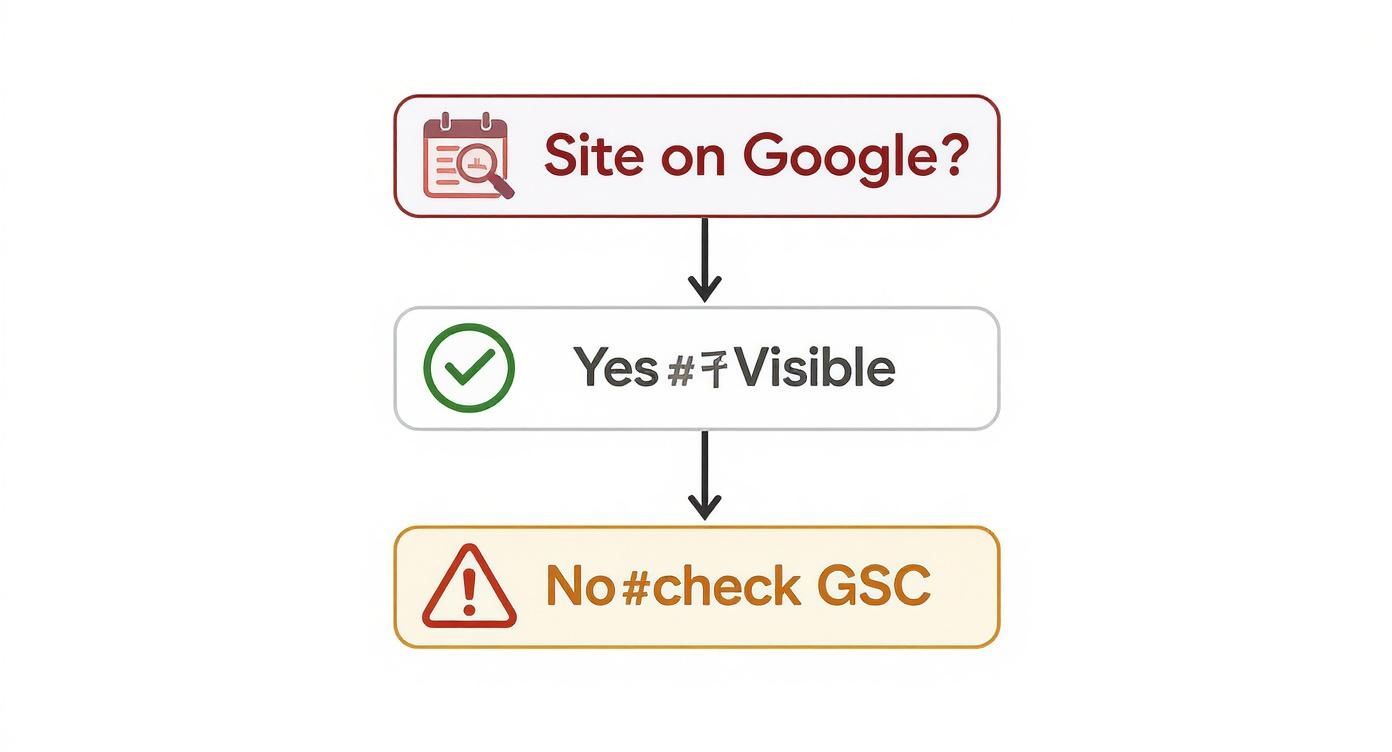
As you can see, that initial check dictates your next move. If there's an indexing problem, your next stop is always Google Search Console.
Checking for Critical Google Alerts
Google Search Console (GSC) is your direct line of communication with Google. It’s a free tool, and if you haven’t set it up yet, do it now. If Google has a serious problem with your website, this is where it will tell you.
Once your site is verified in GSC, there are two places you need to check right away:
- Manual Actions: This is where Google reports penalties issued by a human reviewer for violating their guidelines. A manual action is serious business and can get your site completely delisted.
- Security Issues: If your site has been compromised with malware or hacked, Google will flag it here. To protect users, they'll often remove hacked sites from search results until the issue is fixed.
A clean slate in both the Manual Actions and Security Issues sections is a huge relief. It means there are no severe penalties holding you back, and the invisibility problem is likely technical or content-related, which is much easier to resolve.
With no major red flags here, you can confidently move on to digging into the more common technical indexing issues.
Using Google Search Console to Get Visible
If your website feels invisible on Google, think of Google Search Console (GSC) as the high-powered flashlight you need to find your way out of the dark. This isn't just another analytics dashboard; it's your direct line of communication with Google. Seriously, setting it up is non-negotiable if you want to figure out why you’re not showing up and—more importantly—what to do about it.
Without GSC, you’re flying blind. You’re left guessing what Google sees, thinks, and values about your website. This free tool swaps that guesswork for hard data, letting you make smart decisions about your SEO strategy.
It’s the command center for your site’s health from Google’s perspective. Let’s dive into how to use it.
Your Sitemap Is Your Website's Map
The first thing you should always do inside GSC is submit a sitemap. An XML sitemap is exactly what it sounds like: a roadmap of your website that shows Google all the important pages you want it to crawl and index. It helps the search engine understand your site's structure without having to discover every single link on its own.
Submitting it is a breeze:
- Head over to the Sitemaps report, which you'll find under the "Indexing" section in the left-hand menu.
- Pop in your sitemap's URL (it's usually something like
yourdomain.com/sitemap_index.xml). - Click Submit.
While a successful submission doesn't mean Google will index everything overnight, it removes a massive roadblock. You've essentially handed Google the blueprint, making sure it knows about every page you’ve built.
Decoding the Pages Report
Next up, you need to get comfortable with the "Pages" report. This is where Google gives you the raw, unfiltered status of every single URL it knows about on your site. The report breaks down your pages into two main buckets: Indexed and Not indexed.
The real gold is buried in that "Not indexed" section. This is where you'll find the clues to your visibility problems. One of the most common reasons you’ll see is “Discovered – currently not indexed.”
This status is Google's way of saying, "Hey, we know this page exists, but we haven't gotten around to adding it to our index yet." It's not always a technical error. More often than not, it means Google doesn't think the page is important or high-quality enough to show searchers—maybe it has thin content or very few internal links pointing to it.
Another frequent status is “Crawled – currently not indexed.” It’s similar, but it means Googlebot actually visited the page and still decided to pass on indexing it for now. Your mission, should you choose to accept it, is to beef up that page's quality and signal its importance to convince Google it’s worth a spot in the search results.
The URL Inspection Tool Is Your Best Friend
For zeroing in on a single, problematic page, the URL Inspection Tool is your secret weapon. If a specific blog post or a critical service page is nowhere to be found, this is where you start your investigation.
Just paste the URL of the missing page into the search bar at the very top of GSC. In seconds, you'll get a full diagnostic report that tells you:
- If the URL is on Google or not.
- Whether it has mobile usability problems.
- How Googlebot discovered the page.
- When it was last crawled.
If the report confirms the page isn't indexed, you can click "Request Indexing" to give Google a nudge. But the real power comes from clicking "View Crawled Page." This shows you the exact HTML code Googlebot sees, which is perfect for spotting sneaky "noindex" tags or other issues that might be blocking it from view.
Getting onto that first page is more critical than ever. The game changed significantly in 2025 when Google removed the num=100 parameter, which used to let users see up to 100 results at once. After that update, a staggering 77.6% of tracked websites lost visibility for some of their unique keywords. This makes tools like GSC absolutely indispensable for fighting for—and holding onto—those top spots. You can discover more insights about the SERP data limits and see just how much the landscape has shifted.
Fixing Technical Roadblocks That Hide Your Site
Sometimes, the reason your site is invisible on Google has nothing to do with your content or your authority. The real problem is often buried deep in your site’s technical foundation, acting like an invisible wall that blocks Google’s crawlers from ever seeing your pages.
These technical roadblocks are the silent killers of search visibility. One misplaced line of code can effectively tell Google to ignore your entire website. The good news? You don't need to be a developer to spot and fix the most common culprits.
The Problem with Robots.txt
Your robots.txt file is a simple text file that lives on your server and gives instructions to search engine bots. It's the very first thing a crawler like Googlebot looks at when it arrives. While it's a great tool for blocking private areas, one simple mistake can make your whole site disappear.
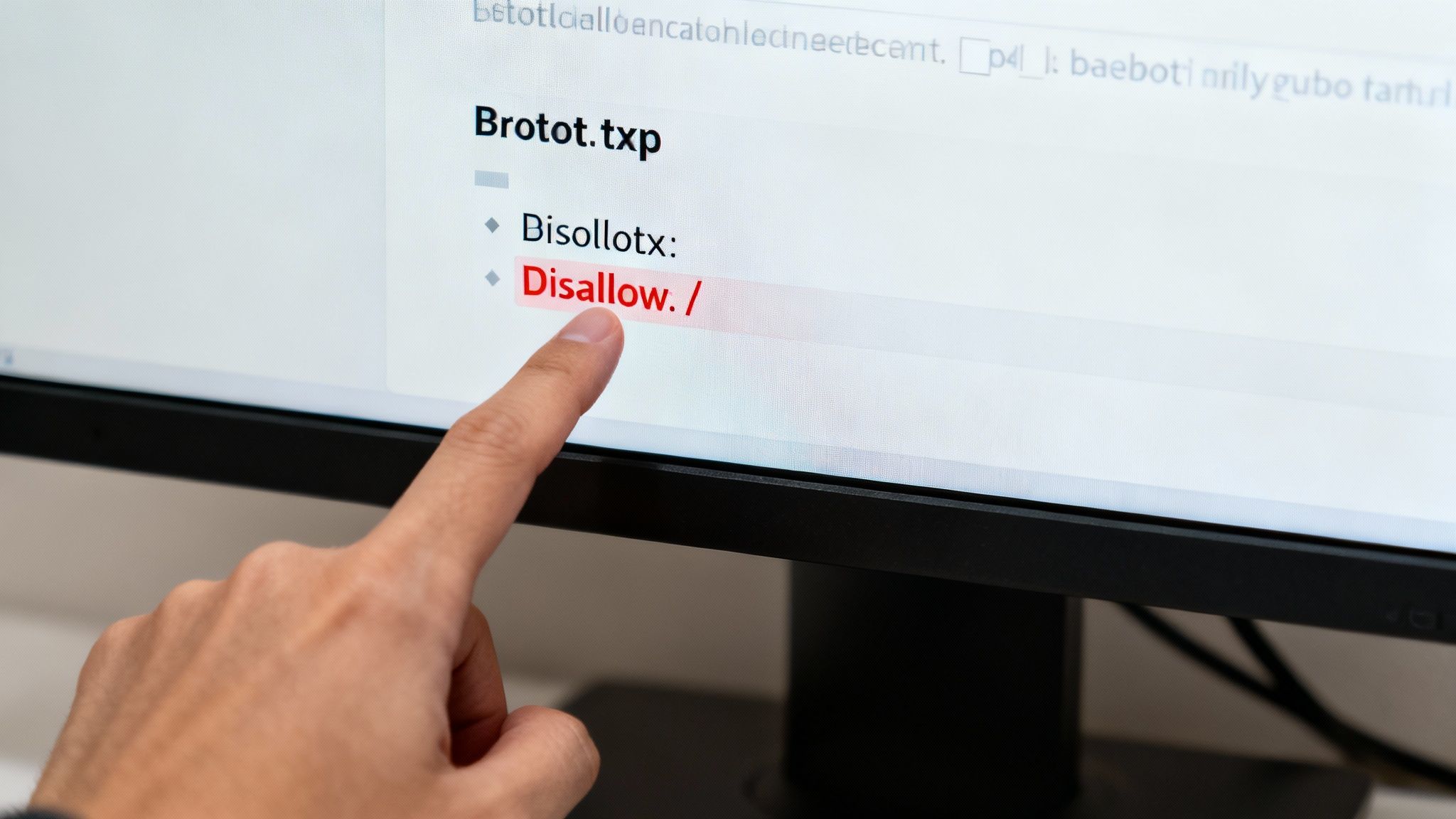
For instance, a single directive like Disallow: / tells every search engine to stay away from every single page. I see this all the time—it's often a leftover from a site's development phase and simply forgotten when the site goes live.
You can check your own file right now by typing yourdomain.com/robots.txt into your browser. If you see that "Disallow: /" line, you've found a huge problem. Removing it might be the single most effective fix you make all year.
Hunting Down the Sneaky Noindex Tag
Another frequent offender is the "noindex" meta tag. This is a small piece of code in the <head> section of a webpage that explicitly tells Google, "Don't add this page to your index." Think of it as putting a "Do Not Enter" sign on a specific door instead of the entire building.
This issue is notorious for popping up after a site redesign or migration. A developer might apply a site-wide noindex tag during development and forget to remove it, causing every page to vanish from search results overnight.
You can check for this tag using the URL Inspection Tool in Google Search Console or by viewing the page source in your browser and searching for the word "noindex". Beyond manual checks, it's crucial to have tools in your corner. For instance, using powerful SEO plugins like Yoast makes it incredibly easy to control indexing settings on a page-by-page basis.
Key Takeaway: Always perform a spot-check for noindex tags on your key pages—especially your homepage and primary service pages—after any major site update. This five-minute check can save you from weeks of lost traffic and confusion.
Untangling Messy URL Structures
Technical SEO isn't just about what you block; it's also about clarity. When Google finds multiple URLs leading to the same content, it gets confused. This is a canonicalization issue, and it forces Google to guess which version is the "real" one, which can seriously dilute your ranking power.
You'd be surprised how common this is. For example, all of these URLs might lead to your homepage:
http://yourdomain.comhttps://yourdomain.comhttp://www.yourdomain.comhttps://www.yourdomain.com/index.html
To a search engine, these can look like four distinct pages with duplicate content. The solution is to use a canonical tag to point all variations to a single, preferred URL. This cleans up the mess and consolidates all your ranking signals into one authoritative page.
Rescuing Orphaned Pages with Internal Links
Finally, even if a page is technically crawlable and indexable, Google may never find it if it's an "orphaned page." An orphan page is any page on your site with no internal links pointing to it.
If there's no path for Googlebot to follow from your homepage to that new blog post, it might as well not exist. It's completely isolated and undiscoverable.
The fix here is straightforward but vital: build a logical internal linking structure. Every important page should be reachable within just a few clicks from the homepage. A well-organized site doesn't just help users find what they need—it provides a clear map for Google to follow, ensuring no valuable content gets left behind.
For a deeper dive into site structure and other core principles, our guide on technical SEO best practices is a great next step.
To help you troubleshoot, here's a quick rundown of the most common indexing issues I see and how to tackle them.
Common Indexing Blockers and How to Fix Them
This table is your quick-reference guide to identifying and resolving the most frequent technical issues that prevent Google from indexing your website.
| Technical Issue | What It Does | How to Find It | How to Fix It |
|---|---|---|---|
Disallow: / in robots.txt |
Blocks all search engine bots from crawling any page on your site. | Go to yourdomain.com/robots.txt in your browser. |
Edit the file and remove the Disallow: / line. |
| "noindex" Meta Tag | Tells search engines not to add a specific page to their index. | Use GSC's URL Inspection Tool or "View Page Source" and search for "noindex". | Remove the meta tag from the page's HTML <head> section or change the setting in your CMS/SEO plugin. |
| Canonicalization Issues | Creates duplicate content problems by having multiple URLs for the same page. | Check if www/non-www and HTTP/HTTPS versions of your site all resolve to one URL. | Implement a 301 redirect strategy and use rel="canonical" tags to point to the preferred version. |
| Orphaned Pages | Pages that have no internal links pointing to them, making them invisible to crawlers. | Use a site crawler tool (like Screaming Frog) or an internal linking audit to find pages with zero in-links. | Add relevant internal links from other pages on your site, like your sitemap, blog posts, or main navigation. |
Keeping these technical fundamentals in check is a non-negotiable part of SEO. A clean, accessible site structure is the foundation upon which all your other marketing efforts are built.
Why Google Ignores Low-Quality Content

Let’s get one thing straight: even if your site’s technical SEO is perfect, Google won't give you the time of day if your content doesn’t deliver real value. Google’s entire business model hinges on giving searchers the best possible answers. It’s gotten incredibly picky about what it shows people.
If your pages don’t meet its high standards, they won’t just rank poorly—they might not get indexed at all.
The internet is unbelievably crowded. By 2025, Google is projected to handle 16.4 billion searches every single day. That’s a staggering 135% increase from just five years ago, which shows just how fierce the competition has become. With trillions of searches a year, Google can afford to be selective. You can see the full scope of these SEO statistics to understand the landscape.
This explosion in search volume means Google is more aggressive than ever about filtering out content it considers unworthy. So, if your site is nowhere to be found, there's a good chance Google has already reviewed your content and decided it doesn't make the cut.
Decoding Thin Content
One of the most common reasons for getting the cold shoulder from Google is something we call “thin content.” This isn’t just about having a low word count; it's about a lack of substance. Thin content offers little to no unique value.
Imagine a product page with nothing but the manufacturer's copy-and-pasted description. Or a blog post that just rewords what a dozen other sites have already said without adding any original insight. These pages don't actually help anyone, so Google sees no point in indexing them.
The fix? Go for depth and originality. Instead of just listing a product’s features, show how they solve a real problem. Don't just repeat common knowledge—offer a unique perspective, a detailed case study, or your own personal experience.
The Problem With Duplicate Content
Right alongside thin content, duplicate content is another major red flag. This happens when big chunks of text on different URLs are either identical or nearly identical. It’s confusing for search engines and waters down your site’s authority, forcing Google to guess which page to rank—if it decides to rank any of them at all.
Duplicate content can pop up in a couple of ways:
- Internal: The same content appears on multiple pages of your own site. A classic example is having a regular page and a separate "printer-friendly" version.
- External: Your content shows up on other websites. This can happen with your permission (syndication) or without it (content scraping).
When Google’s crawlers find multiple versions of the same text, the algorithm might just filter all of them out to be safe. While the technical fix involves using canonical tags to point to your preferred version, the best strategy is always proactive: make sure every page you publish has a clear, distinct purpose and mostly original content.
Proving Your E-E-A-T
To earn a spot in the search results, your content needs to be trustworthy. Google uses a framework called E-E-A-T—Experience, Expertise, Authoritativeness, and Trust—to size this up. It’s not just an industry buzzword; it’s a practical checklist for creating high-quality content.
E-E-A-T is basically Google's way of asking, "Can we trust this information?" It’s especially critical for "Your Money or Your Life" (YMYL) topics that could impact someone's health, safety, or finances.
Here’s how you can demonstrate these qualities on your site:
- Experience: Show, don’t just tell. Prove you’ve actually done what you’re talking about with original photos, firsthand accounts, or detailed case studies.
- Expertise: Write with authority. Your content should be detailed, accurate, and comprehensive. Got credentials? Showcase them in an author bio.
- Authoritativeness: Build a solid reputation. Earning links from other respected sites in your niche is a massive signal to Google.
- Trust: Be transparent. A clear "About Us" page, easy-to-find contact info, and citing your sources go a long way in building trust.
When you focus on creating genuinely helpful and credible content, you’re not just feeding an algorithm. You're building a resource that Google will actually want to show its users. If you're ready to dig deeper, you can learn more about how to optimize your online presence in our comprehensive guide.
Building the Authority to Get Noticed
If your website is brand new, its disappearing act on Google often boils down to a single, hard truth: it’s the new kid on the block with zero reputation. Google is all about trust, and new sites start with a trust score of, well, zero. This is the whole game of authority, and it's the number one gatekeeper to getting seen in search results.
Think of it this way: if you needed serious medical advice, would you listen to a random person on the street or a doctor with a proven track record? Google thinks the same way. It’s obsessed with showing its users the most reliable, authoritative information out there.
This early period of invisibility is what many in the SEO world call the "Google Sandbox." While Google has never officially confirmed it, it's a phenomenon we see all the time where new sites just don't seem to rank for anything meaningful for the first few months. Essentially, Google is putting your site on probation to see if it's legit.
The Hard Truth: Just having a website doesn't mean you deserve to rank. You have to earn Google's trust, piece by piece, by proving your site is a valuable resource. This is a long game, not an overnight sprint.
Earning Your First Backlinks
The most powerful way to build authority, bar none, is by earning backlinks. A backlink is simply a link from another website pointing to yours. In Google’s world, every quality backlink acts like a vote of confidence, signaling to the algorithm that other established sites vouch for your content.
But here's the catch—not all backlinks are created equal. A link from some spammy, low-quality directory can actually hurt you more than it helps. The real goal is to earn links naturally from relevant, trusted websites in your niche.
Here are a few proven ways to start earning those first powerful backlinks:
- Create genuinely useful resources: Think ultimate guides, original research, or free tools that people in your industry will actually want to reference and link to. This is the cornerstone of any good link-building effort.
- Guest posting: Write a high-quality article for a respected blog in your field. In return, you'll usually get a link back to your site in your author bio. It’s a classic for a reason.
- Broken link building: This one's a bit more tactical. Find dead links on other relevant websites, reach out to the site owner, and offer your own content as a replacement. It’s a win-win: you help them fix a broken page, and you get a valuable link.
To consistently get Google's attention and establish yourself as an authority, developing a robust content strategy isn't just a good idea—it's essential. This strategy is what fuels all your efforts to create valuable stuff that other sites will want to link back to.
Foundational Authority Building Moves
While backlinks are a huge piece of the puzzle, they aren't the only way to build trust with Google. There are a few other foundational moves you can make to signal that you're a legitimate entity, especially if you run a local business.
One of the most critical first steps is to set up and fully optimize your Google Business Profile (GBP). This free tool is non-negotiable for local businesses. It directly impacts how you show up in local search and on Google Maps, and a complete, active profile is a massive trust signal.
You can also build trust in other ways:
- Create consistent local citations: Make sure your business name, address, and phone number (NAP) are listed correctly and consistently across important online directories like Yelp, Yellow Pages, and any industry-specific sites.
- Engage in online communities: Participate in relevant forums, social media groups, or Q&A sites like Quora. Be genuinely helpful and provide real value—don't just spam your links everywhere.
These actions prove to Google that you're a real, active business that's part of a larger community. Our guide to optimizing your Google Business Profile gives you a step-by-step walkthrough to nail this crucial element.
At the end of the day, when your site isn't showing up, remember what you're up against. Google commands an astonishing 91.04% of the global search market share. Being invisible on its results means you're invisible to over nine out of ten potential visitors. Building authority isn't just an SEO task; it's your ticket to getting seen by the rest of the world.
Answering Your Toughest Google Visibility Questions
When your website pulls a vanishing act on Google, it’s easy to feel a mix of frustration and panic. A million questions start racing through your mind. Don't worry, it's a super common problem, and the answers are usually more straightforward than you’d expect. Let's cut through the noise and get you some direct, actionable answers.
How Long Does It Take for a New Website to Show Up on Google?
This is the big one, isn't it? For any new site owner, the waiting game is the hardest part. Generally, a brand-new website can take anywhere from a few days to several weeks for Google to discover and index. Patience is a virtue here, but that doesn’t mean you have to sit on your hands.
A few key factors can speed things up. If you've already submitted an XML sitemap through Google Search Console, you’ve basically handed Google a roadmap to your site. That helps a ton. Another accelerator is earning a link from another established website that Google already crawls frequently. Googlebot can follow that link and find you much faster.
Crucial Point: Being indexed is not the same as being ranked. Indexing just means Google knows you exist and has you in its massive library. Ranking is when Google decides your site is a good answer for a specific search. New domains often go through a "sandbox" period for a few months where ranking for anything competitive is tough while Google figures out if it can trust you.
My Website Was on Google, but Now It’s Gone. Why?
Okay, this one is a red alert. If your site suddenly disappears from search results, it's time for an immediate investigation. This isn't a "wait and see" kind of problem. The cause is usually one of a few usual suspects, and you just need to check them off the list.
Your first stop should always be Google Search Console. Check for messages in the Manual Actions or Security Issues reports. A manual penalty from Google or a hacking incident are two of the most serious reasons for getting de-indexed, and this is where Google will tell you about it.
If those reports come back clean, the problem is almost certainly technical.
- Check
robots.txt: Take a look at youryourdomain.com/robots.txtfile. A stray "Disallow" directive could be accidentally telling Google to stay away. - Hunt for 'noindex' tags: Did you recently update your site or a plugin? It's surprisingly easy for a
noindextag to get mistakenly added to your pages, making them invisible to search engines. - Look into Server Issues: If your server has been down a lot or for a long time, Google might temporarily drop your pages.
A major site redesign is another classic culprit, especially if you didn't set up proper 301 redirects. If you changed all your URLs, Google sees them as brand-new pages it has to discover all over again, and the old ones simply vanish.
Will Google Ads Help My Website Show Up in Organic Search?
I hear this one all the time, but the answer is a clear and simple no. Running Google Ads has zero direct impact on your website's organic search rankings. Google keeps a very firm wall between its paid advertising platform and its organic search algorithm.
Think of it as two different ways to get to the same place. Google Ads is the paid express lane—you get immediate visibility in the sponsored section at the top of the page. Organic SEO is the scenic route you earn through hard work, creating great content, and building authority over time.
While running ads is a fantastic way to get immediate, targeted traffic, that money won't make your site get indexed faster or rank higher organically. Your organic presence is earned entirely through solid SEO work.
Why Is Only My Homepage Showing Up on Google?
Seeing just your homepage indexed is a classic sign of a crawlability issue. It tells you that Googlebot found your front door (your homepage) but couldn't figure out how to get to the rest of the rooms (your other pages). When a website isn't showing up on Google except for the main page, it's almost always an internal linking problem.
The best fix is to strengthen your internal linking structure. Make sure you have a clear, logical navigation menu. Just as important, link to your key service pages and blog posts from other relevant pages on your site. If a page isn't linked from anywhere else, it's what we call an "orphaned page," and it's nearly impossible for crawlers to find.
Submitting a complete XML sitemap in Google Search Console is also a must-do. It acts as a safety net by giving Google a direct list of every single URL you want it to know about, even if your internal linking isn't perfect yet.
Feeling like you're in over your head with the technical stuff? Gidds Media combines expert SEO, custom web design, and strategic Google Ads to make sure your business gets seen. We build websites that work as hard as you do, turning searches into leads and clicks into customers. Get a free, no-pressure SEO audit to see what's really holding you back. Find out more at https://giddsmedia.com.