If you’ve ever typed a search into Google and seen “Sponsored” next to a few of the top results, you’ve already met Google Ads. But what is Google Ads exactly, and how does it decide which businesses show up first?
This guide walks through what Google Ads is, how it works behind the scenes, what it typically costs, and how to tell if it’s worth using for your business. We’ll cover the setup process, how to measure results, and the risks to watch for along the way.
What Is Google Ads?
Google Ads is Google’s advertising platform. It lets businesses pay to show ads on Google Search, YouTube, Gmail, Google Maps, and a large network of partner websites.
Most Google Ads campaigns run on a pay-per-click (PPC) model. That means you’re charged when someone actually clicks your ad — not simply because it was shown.
Instead of a flat listing fee, ad space is awarded through a real-time auction that runs every time someone searches or visits a page eligible to show ads. You choose a budget, pick keywords or an audience, and Google matches your ad to relevant searches or users.
Businesses use Google Ads because it puts them in front of people who are actively looking for what they sell, rather than hoping the right person happens to notice a general ad.
Google Ads Account Structure
Every account follows the same basic layout, which makes it easier to organize and manage:
- Campaigns – set the budget, campaign type, and overall goal (e.g., “Search – Plumbing Services”)
- Ad groups – sit inside a campaign and group closely related keywords or audiences together
- Keywords or audience signals – tell Google who or what to match your ads to
- Ads – the actual headlines, descriptions, and assets a searcher sees
Understanding this structure helps explain why a messy account (too few ad groups, mismatched keywords) tends to perform worse than a tightly organized one.
If you’d rather have this handled for you, our Google Ads management service covers setup, campaign structure, and ongoing optimization.
How Does Google Ads Work?
Every time your ad is eligible to appear, it’s entered into an automatic auction. Google runs this process for every search, determining which ads show and in what order.
The Ad Auction
The auction isn’t just about who bids the most. Google weighs several factors together, including your bid, the quality of your ad and landing page, and the context of the search — like device, location, and time of day.
This combined score is called Ad Rank. It determines whether your ad is eligible to show, and where it lands on the page.
A useful side effect: you can outrank a competitor with a bigger budget if your ad and landing page are more relevant to the search.
Quality Score
Quality Score is Google’s 1–10 rating of how relevant your ads, keywords, and landing pages are to what people are searching for. It’s based on your expected click-through rate, ad relevance, and landing page experience.
A higher Quality Score generally means lower costs and better ad positions, since Google rewards ads that genuinely match the search behind them.
Keywords and Match Types
Keywords are the words or phrases that trigger your ad. But how closely a search has to match your keyword depends on the match type you choose:
- Broad match – the widest reach; shows on searches Google considers related in meaning, not just wording (this is the default match type)
- Phrase match – shows on searches that include the meaning of your phrase
- Exact match – the tightest control, reserved for searches that closely match your exact term
- Negative keywords – exclude searches you don’t want your ad to show for, which helps prevent wasted spend
Most accounts use a mix of match types, tightening them over time as search-term data reveals what’s actually converting.
Bidding: Manual vs. Automated
You also choose how bids are set. With manual bidding, you set the maximum you’re willing to pay per click yourself, ad group by ad group.
With automated bidding, Google’s systems set bids for you based on the likelihood of a click or conversion, using signals like device, time of day, and location. This is often called Smart Bidding.
Automated strategies remove a lot of manual guesswork, but they need enough conversion data to work well — which is why brand-new accounts are sometimes started on manual bidding first.
Ad Extensions (Now Called Assets)
Assets — formerly known as ad extensions — add extra information to your ad, like site links, phone numbers, or callout text. Google recommends adding at least four sitelinks and several unique images to Search campaigns, since assets are free to add and tend to improve both click-through rate and ad quality.
Common asset types include:
- Sitelinks – extra links to specific pages, like “Pricing” or “Book Now”
- Callouts – short phrases highlighting a selling point, like “Free Consultation”
- Structured snippets – a labeled list of offerings, like services or product categories
- Call assets – a clickable phone number, especially useful on mobile
Types of Google Ads Campaigns
Google Ads isn’t a single ad format. Depending on your goals and where you want to appear, you can choose from:
- Search campaigns – text ads on Google’s search results, shown to people actively searching for your product or service
- Display campaigns – visual banner ads shown across millions of partner websites and apps, better suited to awareness than immediate sales
- Shopping campaigns – product listings with images and prices, shown to online shoppers browsing or comparing products
- Video campaigns – ads that run on YouTube, good for storytelling and product demos
- Performance Max – a single, AI-managed campaign that runs across most Google channels at once from one set of goals and assets
- Demand Gen – visually rich ads built for awareness on platforms like YouTube and Discover
Most businesses start with Search campaigns, since they target people who are already looking for a solution.
How to Set Up a Google Ads Campaign
The exact screens change over time, but the core process stays consistent:
- Define your goal. Are you after sales, leads, calls, or store visits? This decides your campaign type and bidding strategy.
- Choose a campaign type. Search is the standard starting point for most service businesses.
- Set your budget and targeting. Choose a daily budget and the locations, languages, and devices you want to reach.
- Build your keyword list (or audience). Group closely related terms into tight ad groups rather than one large, mixed list.
- Write your ads and add assets. Match your ad copy to the intent behind each keyword group, and add sitelinks, callouts, and other assets.
- Set up conversion tracking before you launch. Without this, you won’t know what’s actually working (more on this below).
- Launch, then monitor closely for the first few weeks while the account gathers data.
Skipping step 6 is one of the most common — and most costly — mistakes new advertisers make.
When you write your ads, put the main keyword and your strongest benefit in the headlines, use the descriptions to back up that promise, and close with a clear next step like “Get a Free Quote.” Run a few versions that each change one element, then keep the messages that earn the most clicks and conversions.
How Do You Measure Whether Google Ads Is Working?
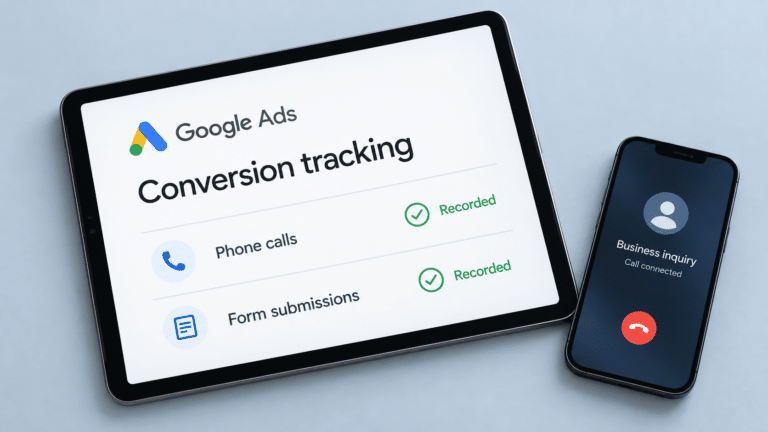
Conversion tracking is the tool that measures whether ad clicks lead to something valuable — a purchase, a form submission, a phone call, or a booking. Without it, you’re essentially guessing.
A few core metrics worth understanding:
- CTR (click-through rate) – the percentage of people who see your ad and click it
- CPC (cost per click) – what you actually pay each time someone clicks
- Conversion rate – the percentage of clicks that turn into a meaningful action
- Cost per conversion – your total spend divided by the number of conversions, which tells you the real cost of a lead or sale
Tracking these consistently is what turns Google Ads from a spending line into a measurable channel you can actually judge and improve.
How Often Should You Manage a Google Ads Campaign?
Google Ads isn’t “set it and forget it.” Because the auction is live and constantly shifting, a campaign that performed well last month can quietly become inefficient without regular attention.
At minimum, plan to check in:
- Weekly – review spend pacing, pause underperforming keywords, add negative keywords, and check search terms for irrelevant matches
- Monthly – test new ad copy, review landing page performance, and adjust bids or budgets based on trends
- Quarterly – reassess overall strategy, seasonal shifts, and whether your campaign structure still fits your goals
New campaigns, and anything using automated bidding, need a bit of patience too. Google’s own guidance notes that a bid strategy typically needs a calibration period of a few conversion cycles — sometimes around 50 conversion events — before performance settles, so it’s best not to judge or overhaul a campaign too early.
How Much Does Google Ads Cost?
There’s no fixed price tag for Google Ads. You set your own budget, and costs are driven by an auction, not a rate card.
You bid a maximum amount you’re willing to pay per click (max. CPC), but you’re usually charged less. Google only charges what’s needed to beat the ad ranked just below yours — not your full maximum bid.
What actually moves your costs:
- How competitive your industry and keywords are
- Your Quality Score (better relevance can lower cost per click)
- The campaign type and channels you use — Search tends to cost more per click than Display, since it targets people with immediate intent rather than casual browsers
- Your daily and monthly budget caps, which you control directly
Because pricing varies so much by industry and goals, it helps to see real figures. We break down typical spending ranges in more detail in our look at what businesses actually pay for paid search.
For a number specific to your business, you can request a free consultation and we’ll walk through realistic budgets for your goals.
How Long Does It Take to See Results From Google Ads?
Unlike SEO, Google Ads can start showing your ads within a day or two of approval, since you’re buying placement rather than earning it over time.
That said, “live” isn’t the same as “optimized.” Early results are often unreliable simply because there isn’t enough data yet. Automated bidding strategies specifically need time to calibrate — Google notes this learning period typically spans a few conversion cycles before performance stabilizes.
Businesses with a longer sales cycle — think B2B services or big-ticket purchases — will naturally take longer to see conversions reflected in the data, simply because the buying decision itself takes longer.
In practice, most advertisers give a new or recently adjusted campaign at least a few weeks before drawing firm conclusions, especially if conversions tend to happen a while after the initial click.
Google Ads vs. Other Advertising Options
Google Ads is intent-based: people are already searching for something, and your ad meets them at that exact moment.
Platforms like Facebook and Instagram work differently — they’re interest-based, showing ads to people based on demographics and behavior rather than an active search. Both can work well, but they solve different problems: one captures demand that already exists, the other helps create it.
If you do add social ads, the right platform depends on who you need to reach:
- Facebook and Instagram – visual-first platforms that suit local businesses, e-commerce, and anything with eye-catching products or results
- LinkedIn – targets by job title, company size, and industry, which makes it the go-to for reaching B2B decision-makers
Many businesses run both: search ads catch people who need you right now, while social ads build the recognition that shapes what they search for later.
If you’re weighing the two, it’s worth reading our side-by-side look at search advertising compared with social media advertising before deciding where to put your budget.
Is Google Ads Worth It?
For most businesses selling something people actively search for, yes — but it depends heavily on how the account is set up and managed.
Benefits
- Fast visibility – ads can appear almost immediately, unlike organic search rankings
- Precise targeting – reach people by keyword, location, device, and more
- Budget control – you set the ceiling; you’re never forced to overspend
- Measurable results – every click, cost, and conversion is trackable
Which Businesses Tend to Benefit Most
- Local service businesses (plumbers, dentists, contractors) – people search with clear, immediate intent
- E-commerce stores – Shopping campaigns put products directly in front of ready-to-buy shoppers
- Businesses with a clear, trackable conversion (a call, a booking, a purchase) – makes it easy to measure real return
Businesses without a clear next step for the visitor, or without any real search demand for what they sell, tend to see weaker results from Search specifically and may be better served starting with Display or social platforms instead.
Common Risks and Pitfalls
- Overly broad keywords that waste spend on irrelevant clicks
- Skipping negative keywords, letting budget leak to unrelated searches
- Sending traffic to a weak or slow landing page
- Making frequent, drastic changes that reset the bid strategy’s learning period
- Launching without conversion tracking, so there’s no way to judge performance
- Treating it as “set and forget” instead of an ongoing channel
Most of these are management problems, not platform problems — which is why accounts that get regular attention tend to outperform ones left running untouched.
If you’re still weighing the decision, we go deeper into the pros, cons, and real numbers in our full look at return on ad spend for small businesses.
Frequently Asked Questions
Do I need a website to run Google Ads? For most campaign types, yes — you need somewhere relevant to send clicks. Call-only ads and some Local Services formats are exceptions.
Can I manage Google Ads myself, or do I need an agency? You can absolutely manage it yourself, especially for a small, simple account. Many businesses bring in help once budgets grow or the time needed to manage it properly outweighs the DIY savings — that’s where our Google Ads services come in.
Is there a minimum budget to start? Google doesn’t publish a blanket minimum for standard campaigns — you can technically start with any budget you’re comfortable with. That said, your budget needs to be competitive enough within your industry’s auction to generate meaningful clicks and data.
Is Google Ads the same as SEO? No. Google Ads is paid placement you pay for by the click; SEO is unpaid, organic ranking built over time. They often work best together, with ads driving quick visibility while SEO builds longer-term traffic.
How is Google Ads different from Google Analytics? Google Ads is where you create and run campaigns. Google Analytics (or a similar tool) is where you measure what happens after someone lands on your site. The two are commonly linked so ad performance and on-site behavior can be viewed together.
Getting Started with Google Ads
Google Ads can be a genuinely effective channel when it’s built around clear goals, relevant keywords, and a landing page that matches what the ad promised.
If you’d rather not manage the auction, bidding, and ongoing optimization yourself, that’s exactly what our team handles. Take a look at our Google Ads services, or get in touch to talk through your goals. You can also browse more of our work at giddsmedia.com.